One Health OS. Every part of care, connected.

MedBuddy Health OS connects healthcare providers, patients, communication, appointments, and medical information through one secure, unified healthcare environment.
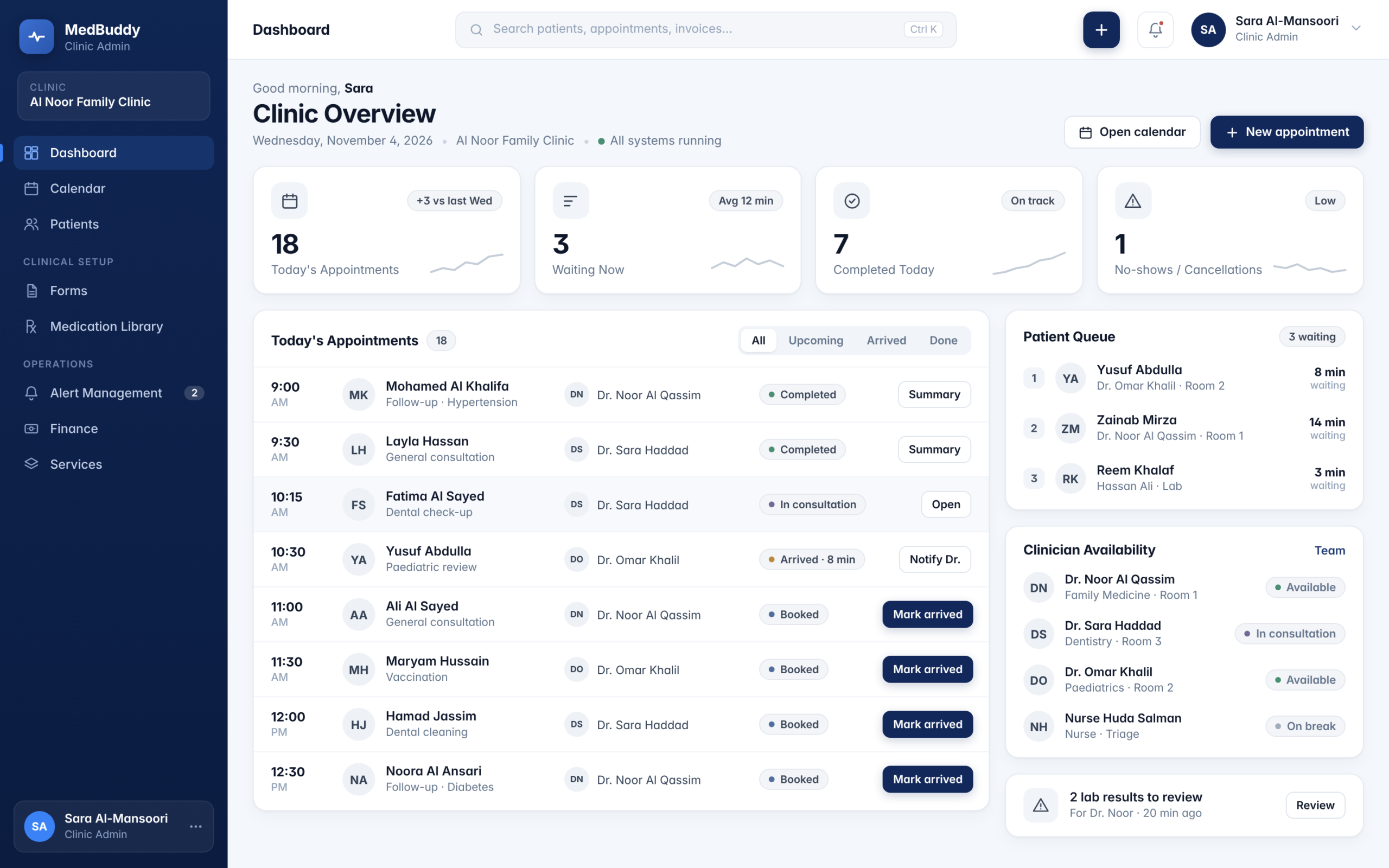
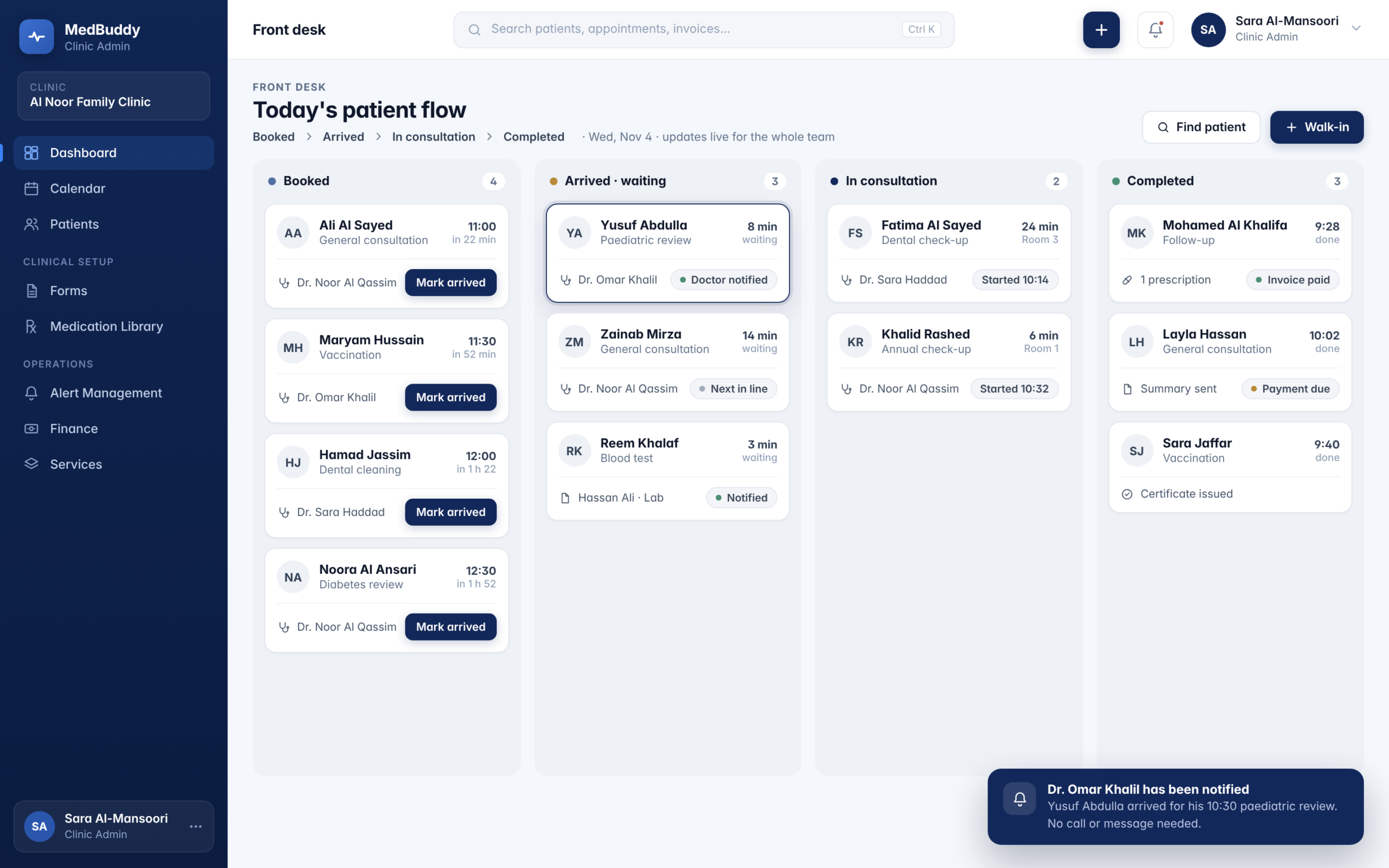
Clinic Admin Portal

Your clinic, finally in sync.

MedBuddy Health OS brings patients, doctors, appointments, records, communication, and day-to-day operations into one connected clinic environment.
MEDBUDDY
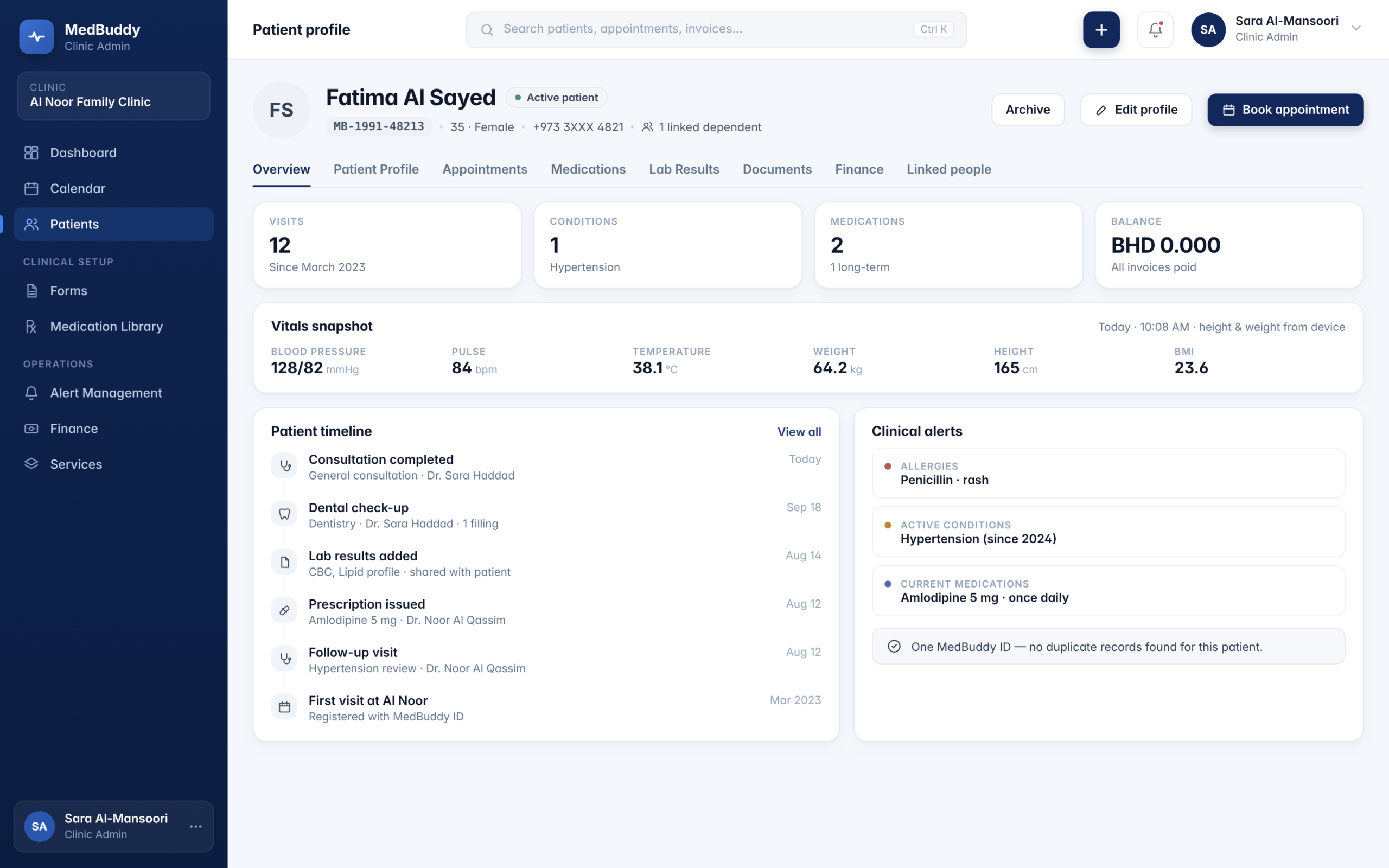
Create and manage patient profiles

MedBuddy Health OS for Clinics

MedBuddy Health OS extends the same connected healthcare foundation across larger organizations—bringing departments, clinical teams, patient journeys, medical information, and operational activity into one coordinated environment.
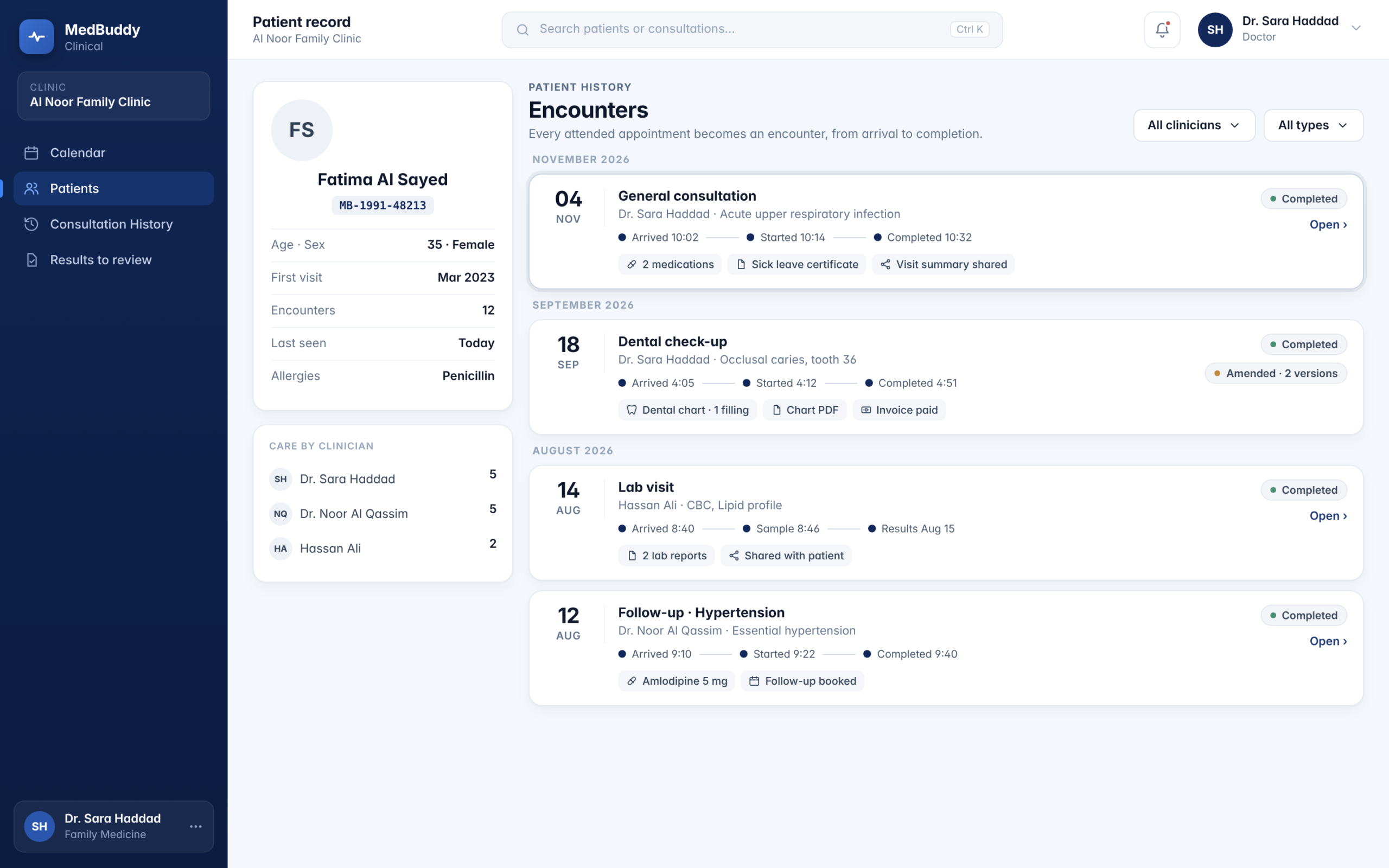
Doctor Portal

Built for the complexity hospitals actually have.

MedBuddy Health OS for Hospitals

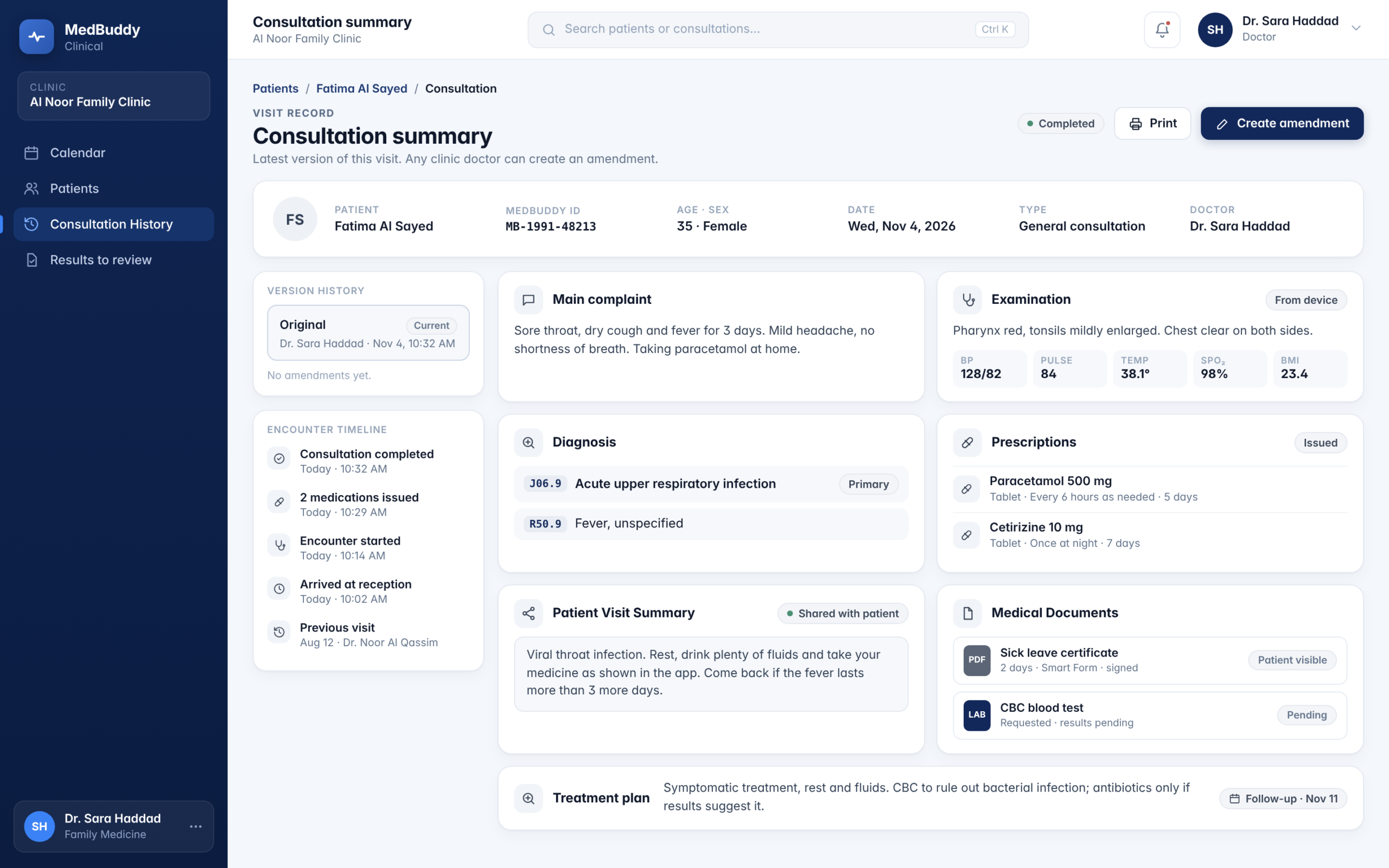
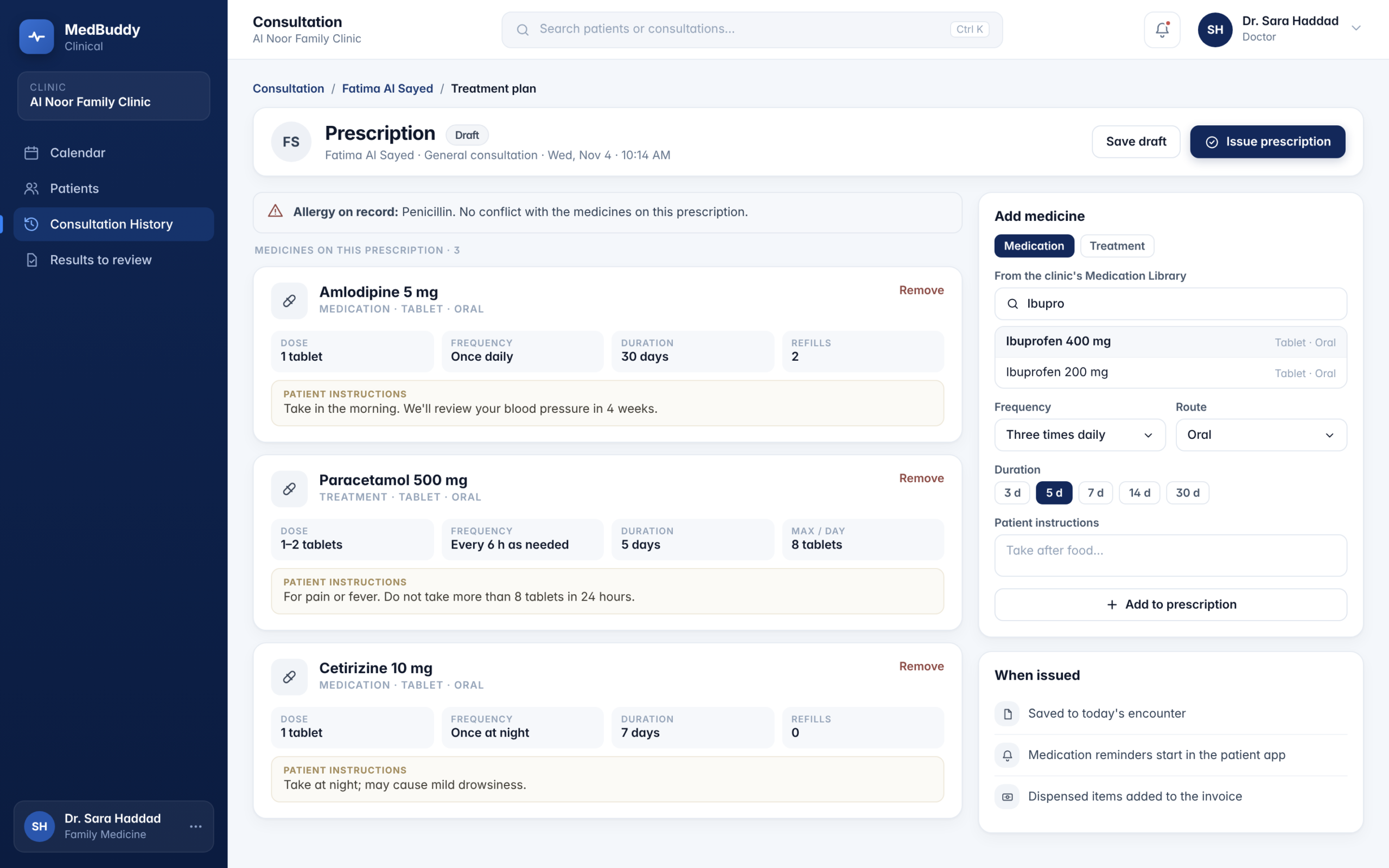
Private Notes are visible only to the doctor who created them. Shared Notes are used to prepare the patient’s Visit Summary.

MEDBUDDY
Create and manage patient profiles
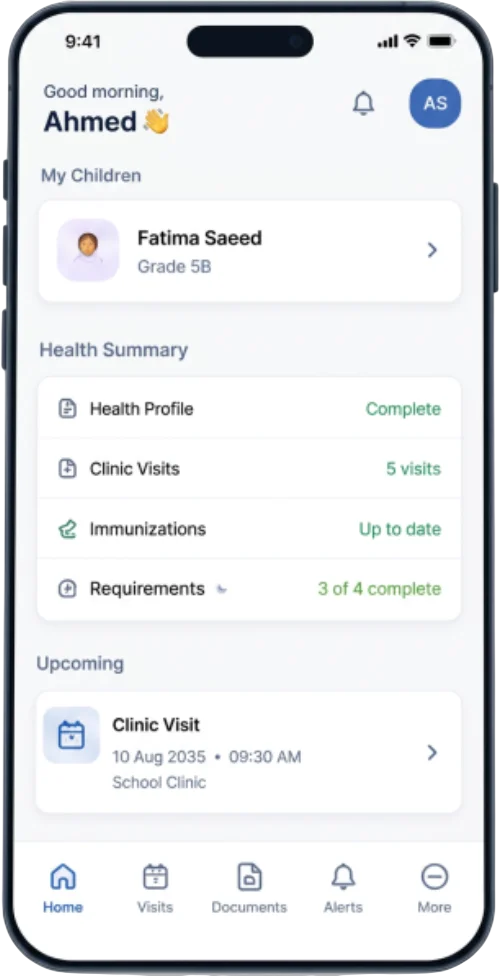
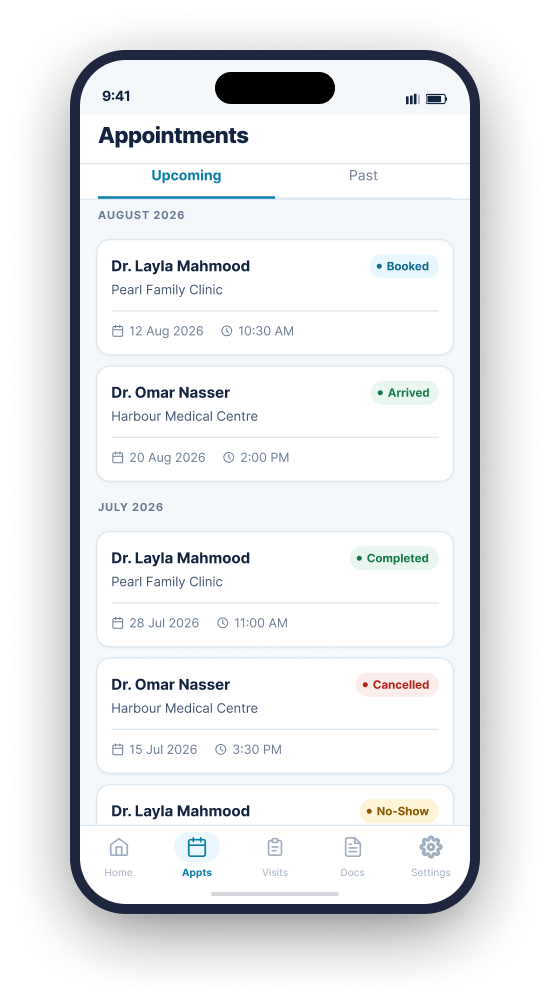
Patient Mobile App

University health, minus the back-and-forth.

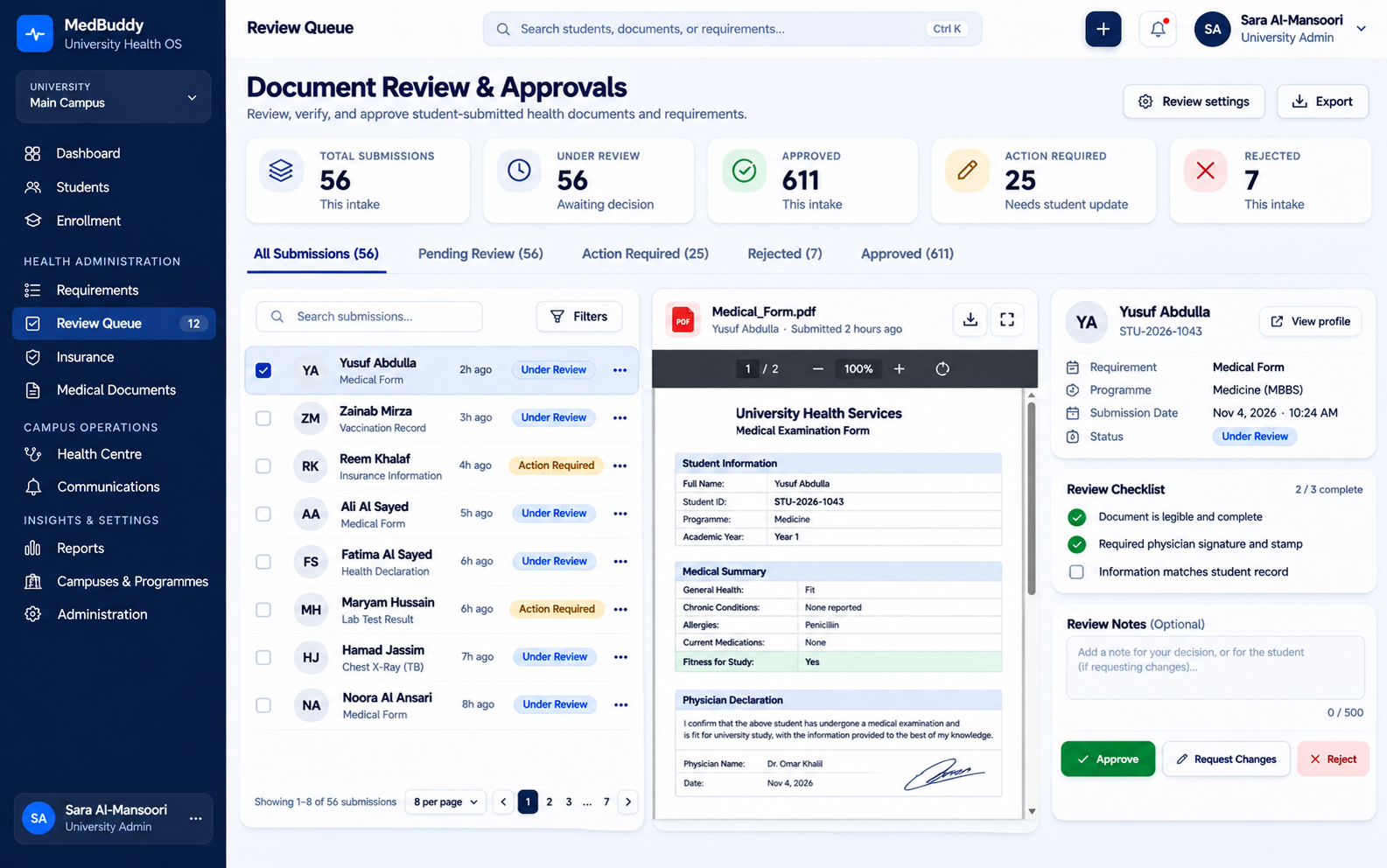
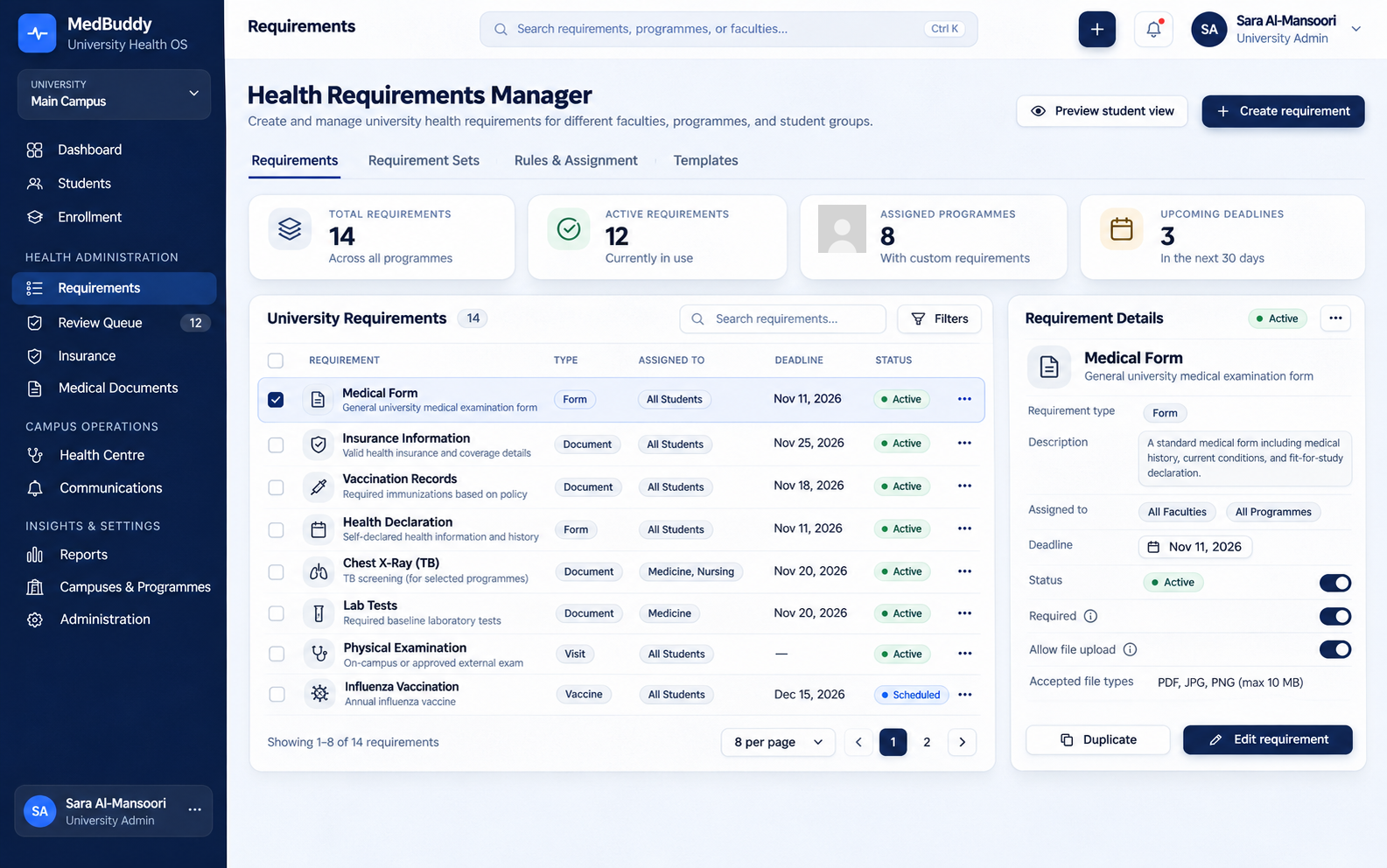
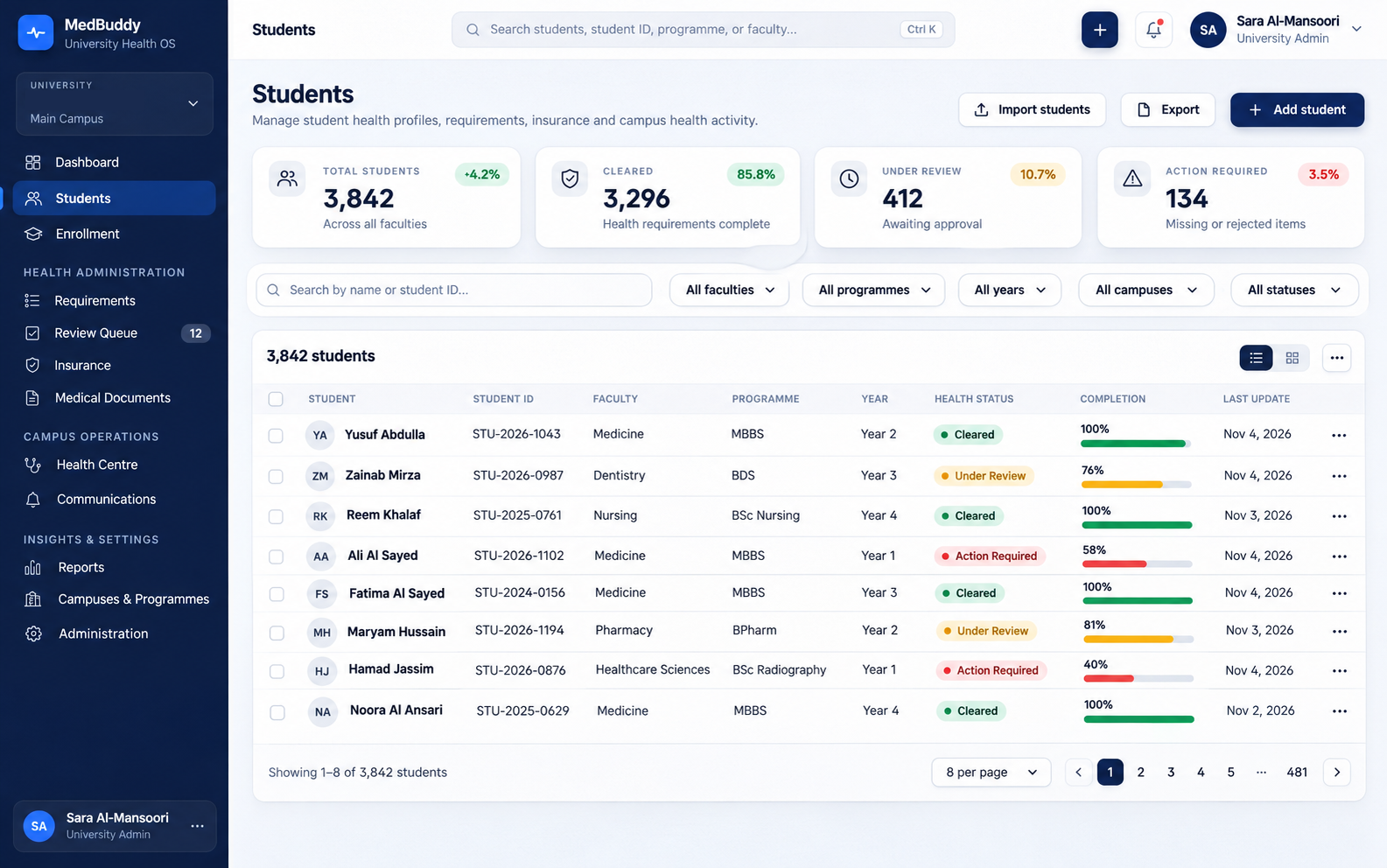
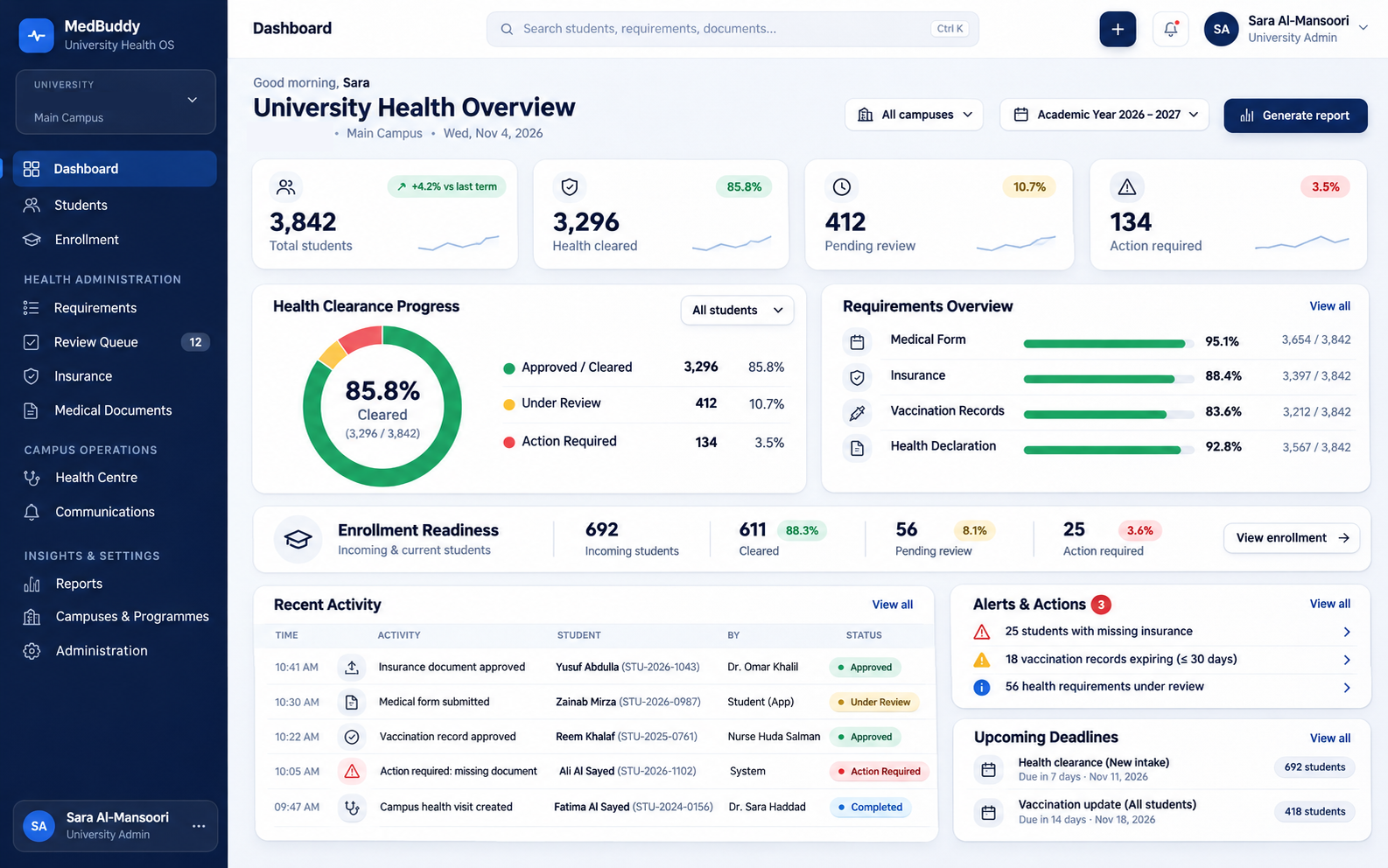
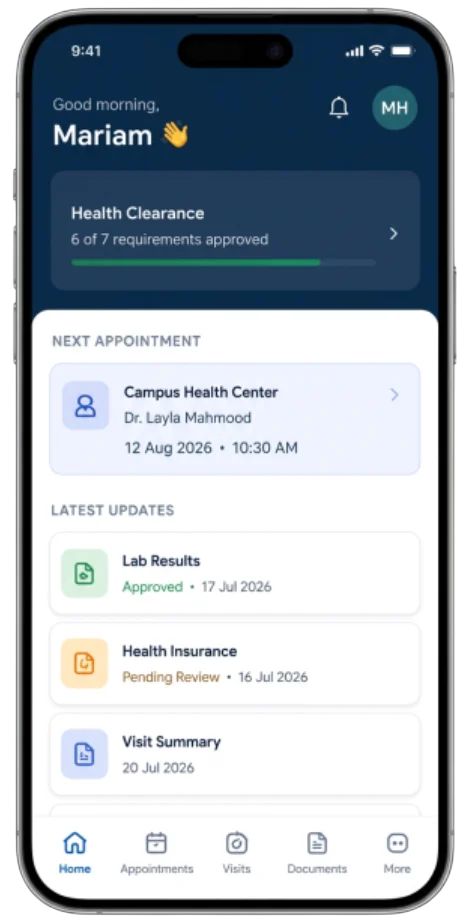
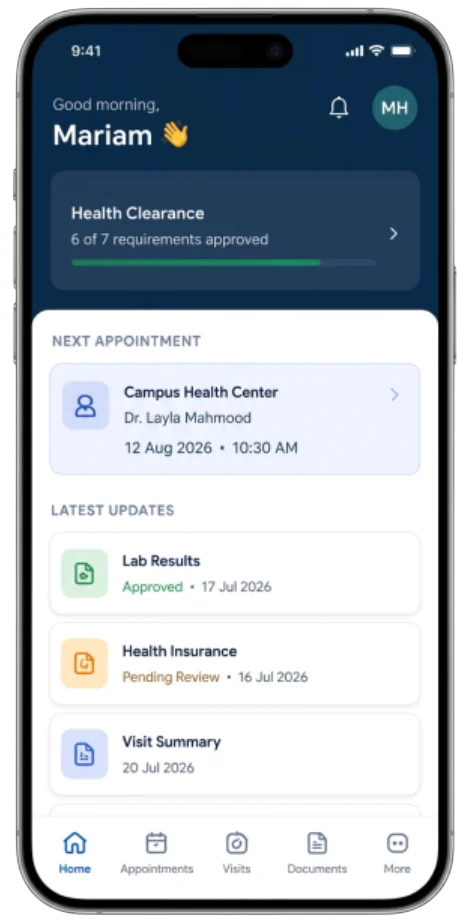
MedBuddy Health OS gives universities one connected environment for managing student health information, medical requirements, insurance documentation, campus health activity, and communication—while giving students a clearer view of what has been completed, approved, or still needs attention.
MEDBUDDY
Create and manage patient profiles

MedBuddy Health OS for University

Platform boundary

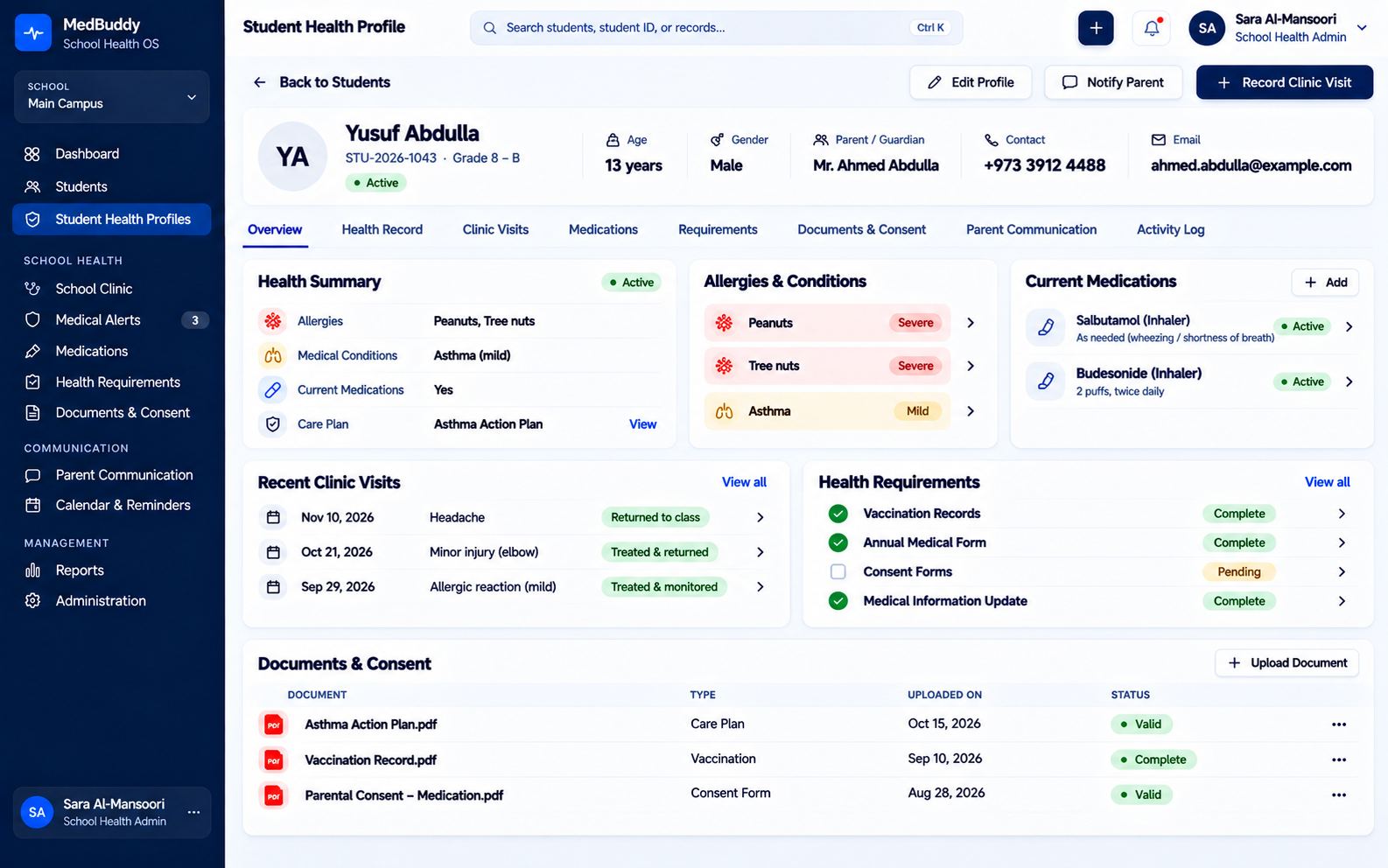
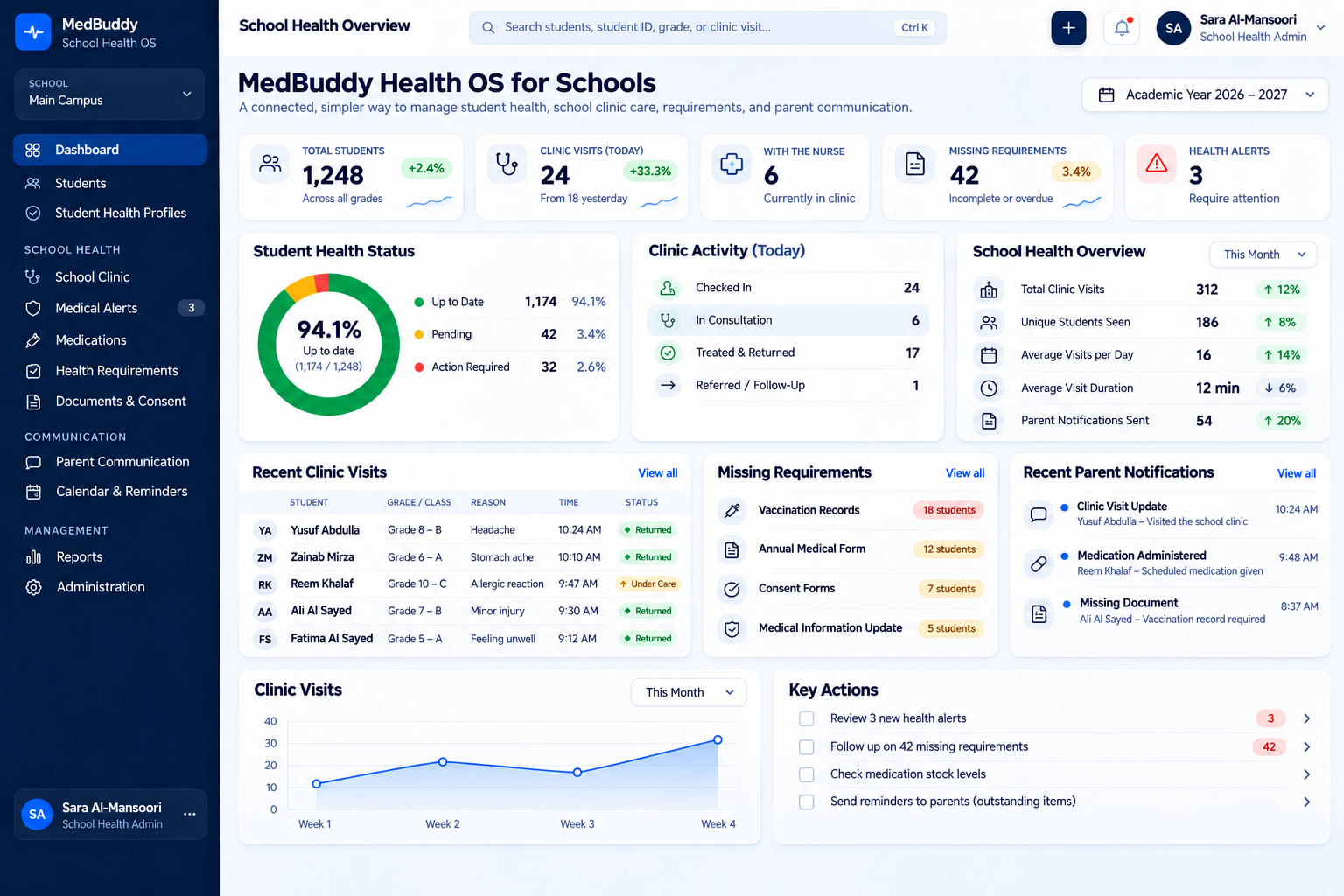
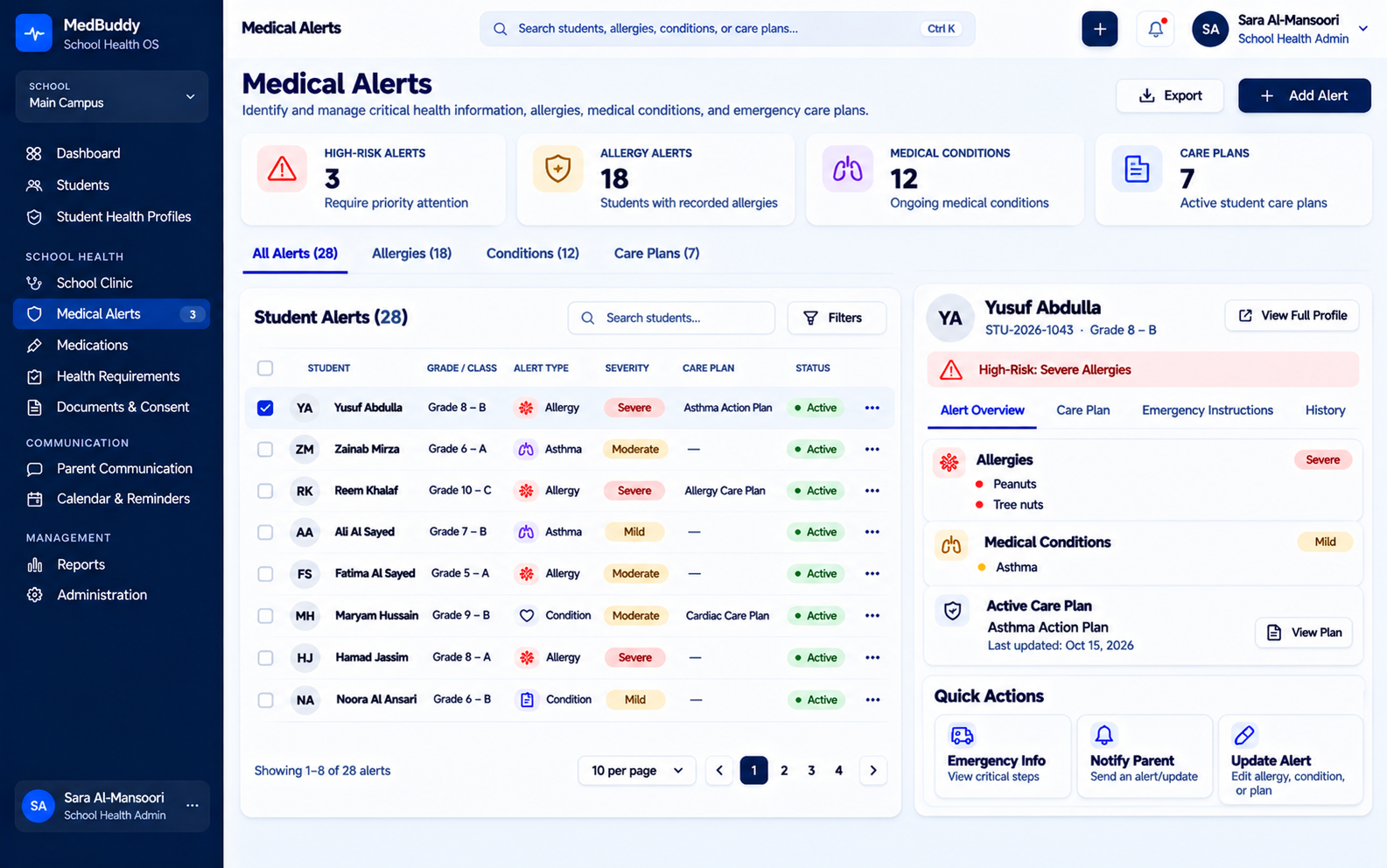
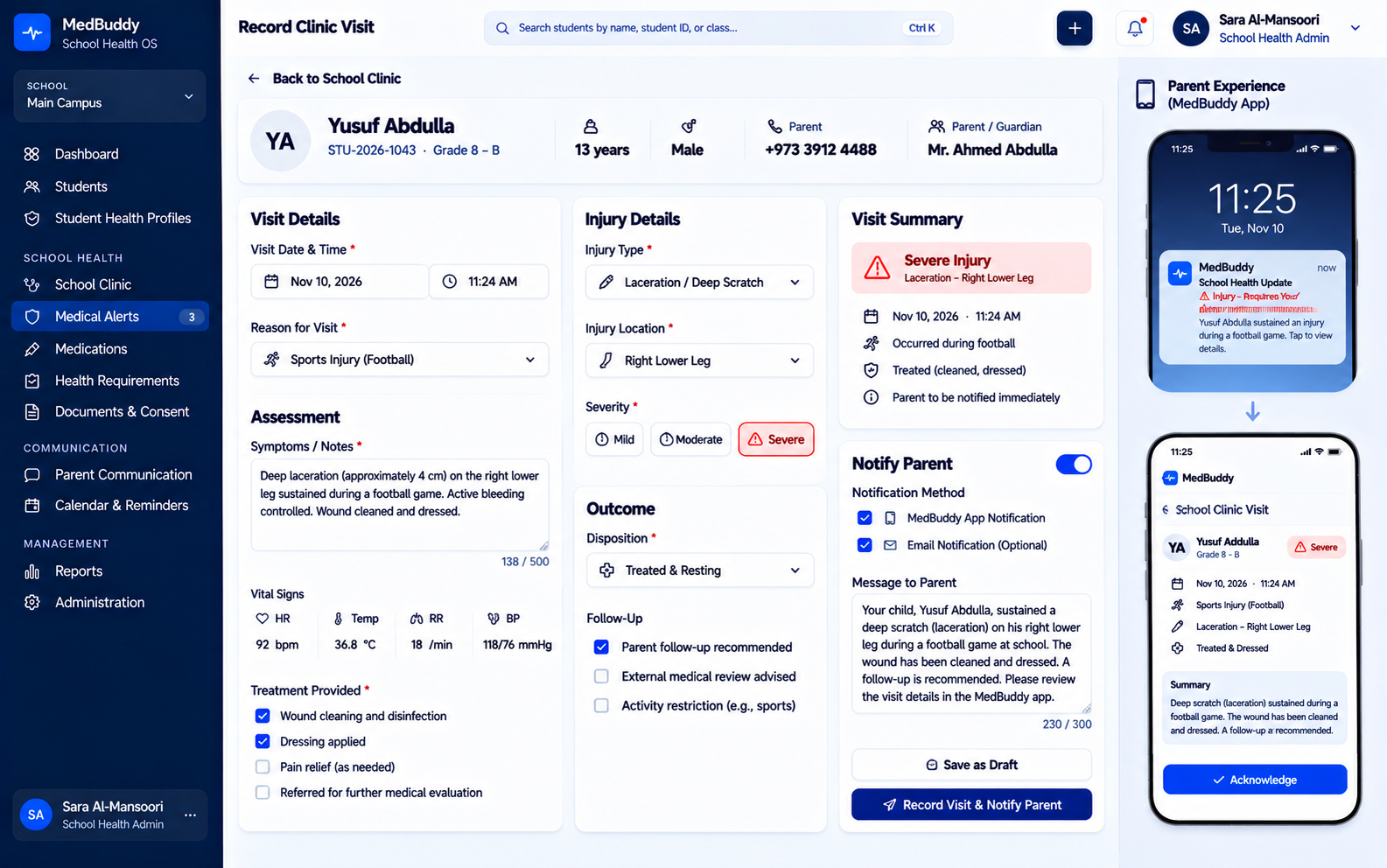
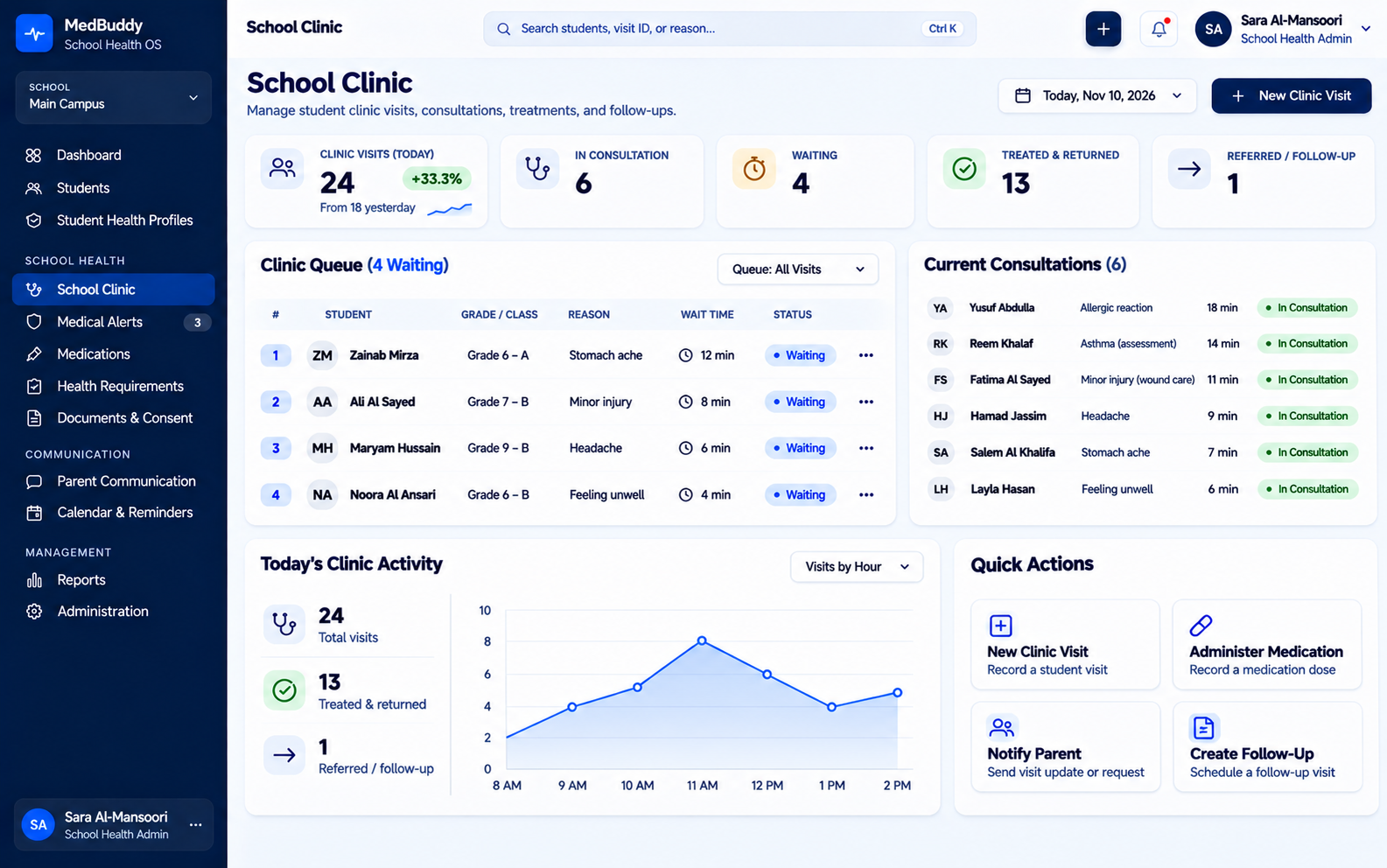
MedBuddy Health OS connects schools, school health teams, students, and parents through one structured health environment—keeping important medical information, requirements, clinic visits, documents, and updates organized throughout the school journey.
WhatsApp Bot

When a child needs care, the right information should already be there.

MedBuddy Health OS for Schools

Platform boundary

Patients cannot use the WhatsApp Bot to:
MEDBUDDY
Create and manage patient profiles
Super Admin Portal

Your care shouldn’t disappear after the appointment.

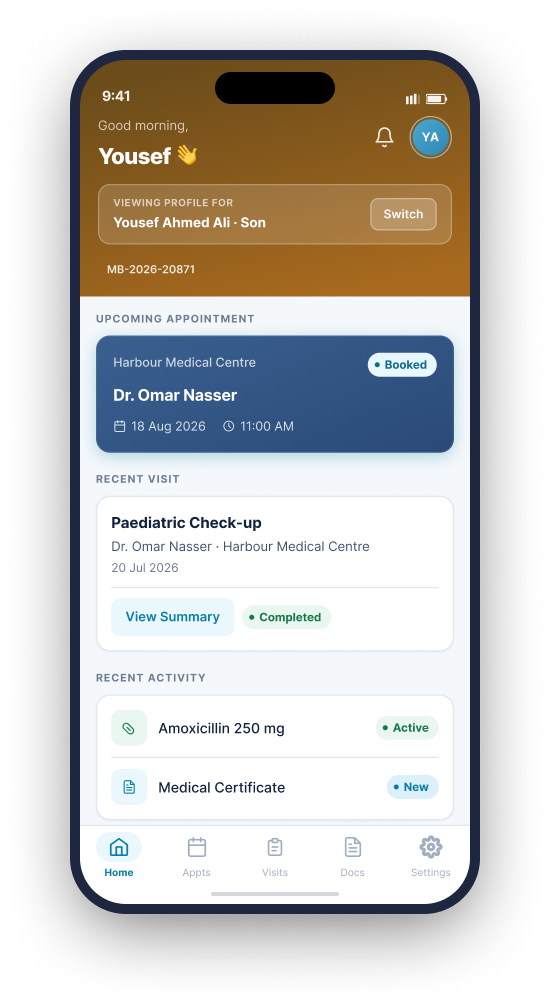
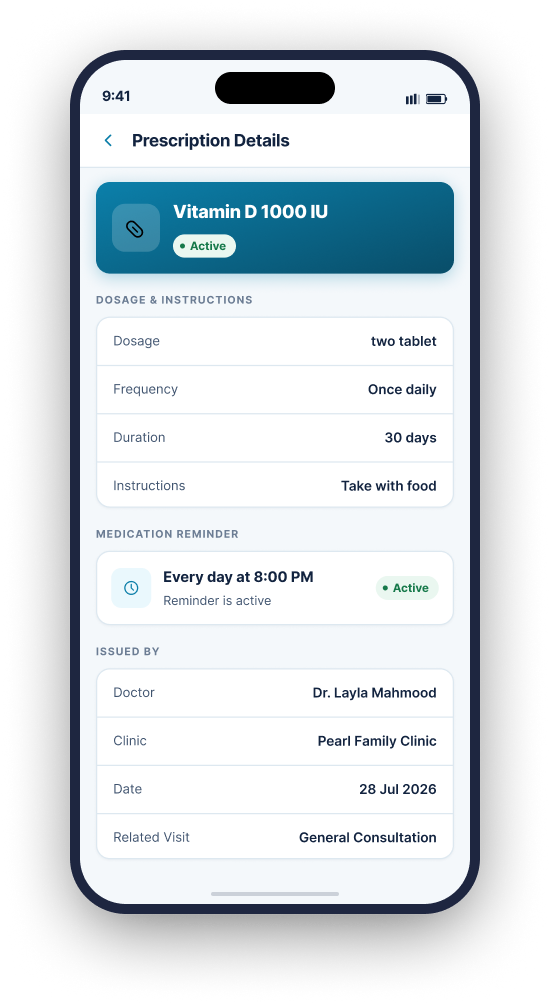
MedBuddy keeps patients connected to the healthcare organizations caring for them—bringing visits, prescriptions, Medical Documents, reminders, dependents, and important updates into one personal health experience.
MEDBUDDY
Create and manage patient profiles

MedBuddy Health OS for Mobile Application

Privacy boundary

The Super Admin Portal does not provide access to:
School and University Health Solution

Student health management, simplified.

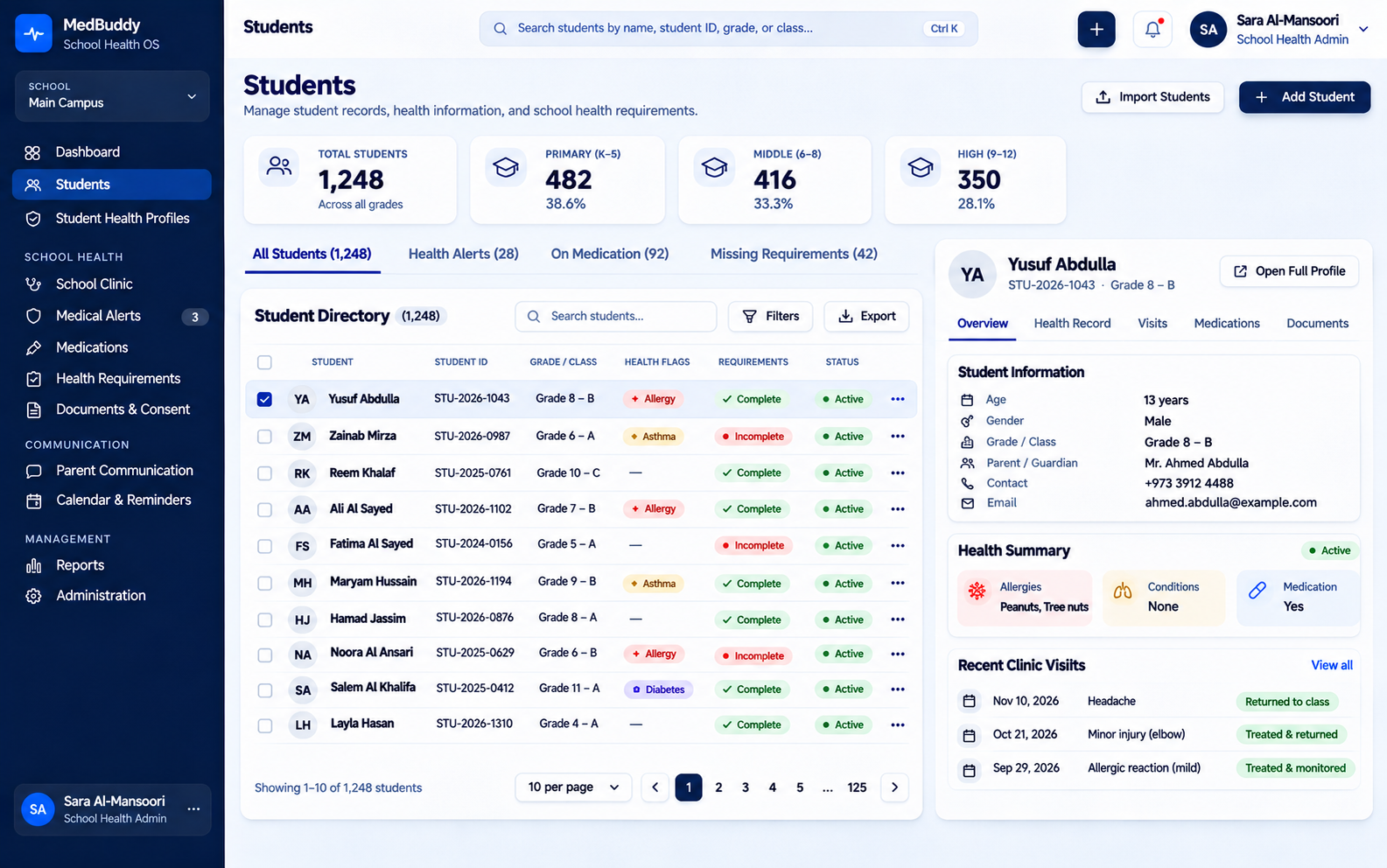
MedBuddy adapts its existing infrastructure to help schools and universities organize student health information and health-related administrative requirements.

Possible institutional features

MEDBUDDY
Create and manage patient profiles

Frequently Asked Questions

MedBuddy uses role-based access and controlled information sharing so each user sees only the information relevant to their responsibilities and relationship with the patient.

What is MedBuddy Health OS?

MedBuddy Health OS is a connected healthcare environment that brings clinical workflows, administration, patient information, communication, documents, and patient-facing experiences together through one system.
No. MedBuddy Health OS can be configured for **clinics, hospitals, schools, and universities**, with different interfaces and capabilities depending on the organization and the type of care or health services it provides.
MedBuddy is designed around the complete healthcare journey rather than one isolated task. The clinic, doctor, patient, communication channels, clinical information, documents, and operational workflows can all work from the same connected foundation.
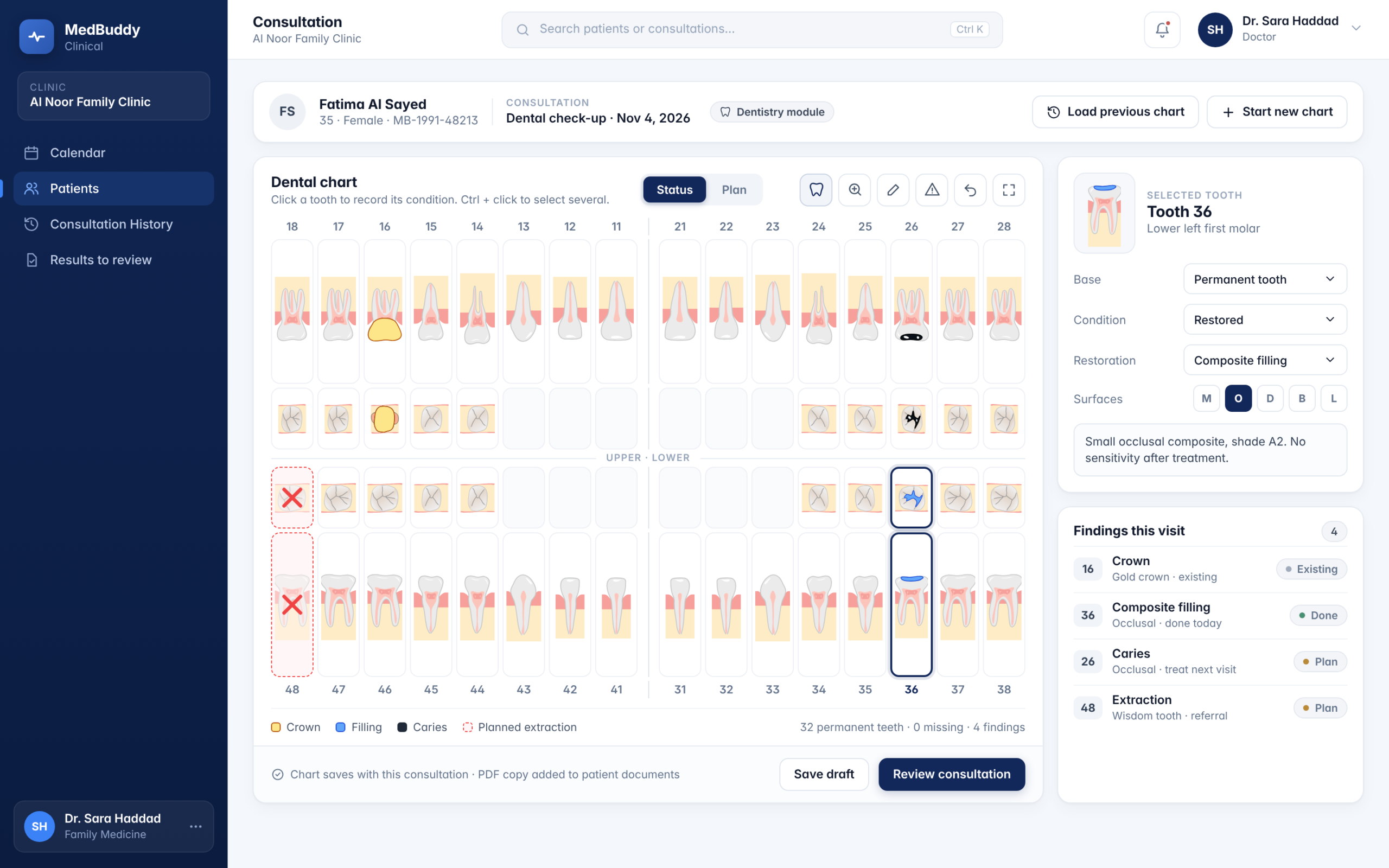
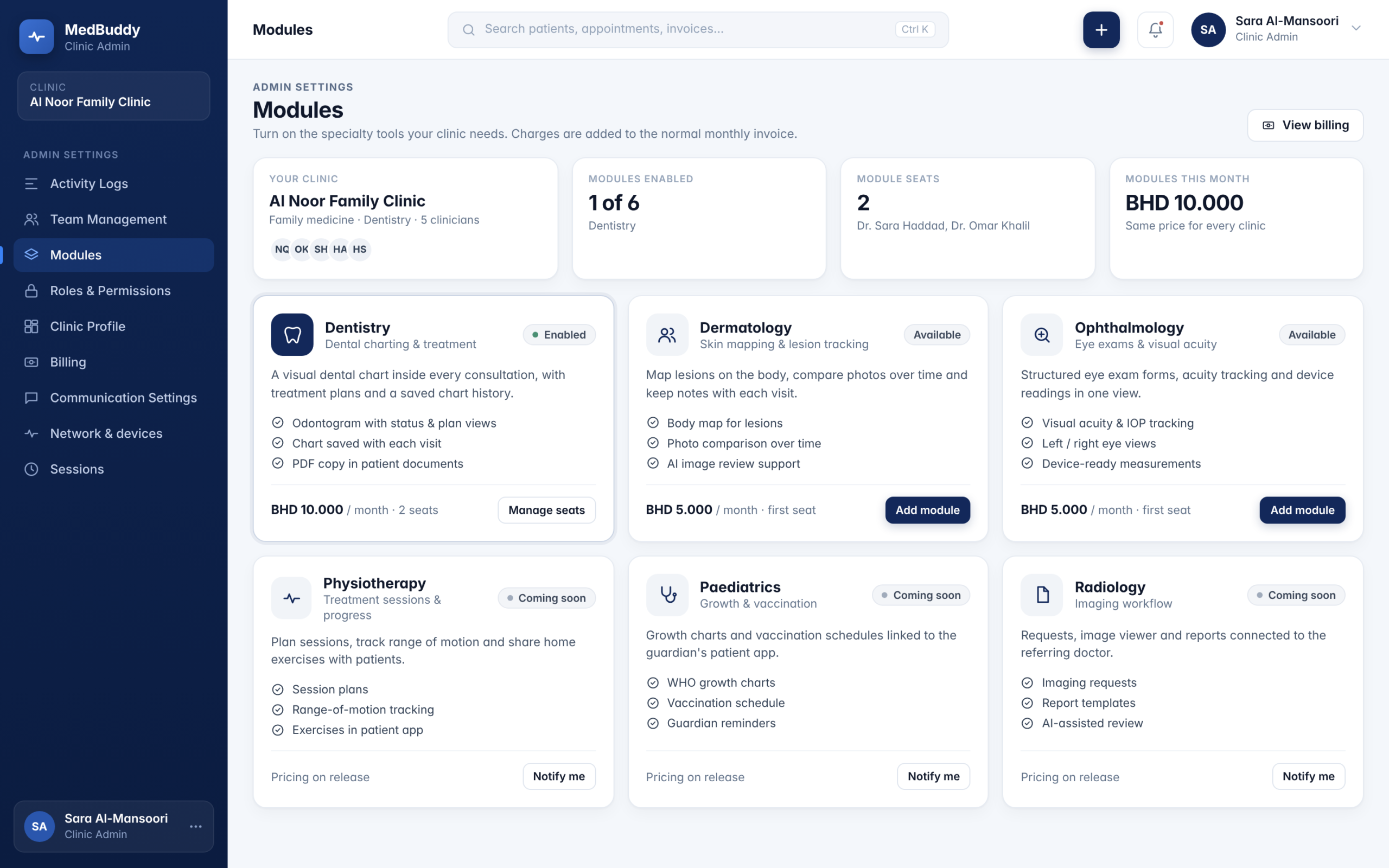
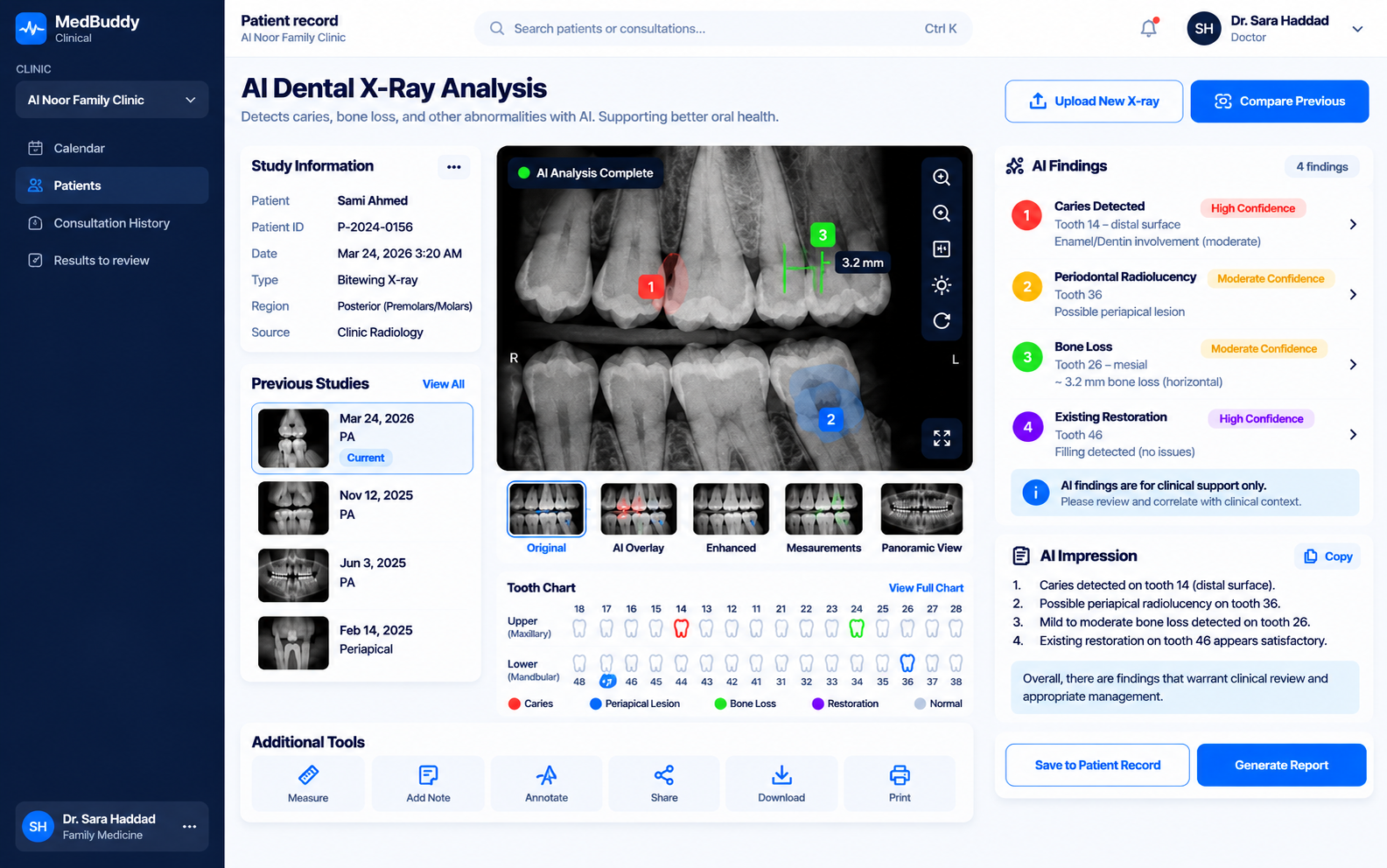
Yes. MedBuddy can provide specialty-specific clinical interfaces rather than forcing every healthcare provider into the same generic workflow. For example, dental teams can use visual tooth mapping, while other specialties can use relevant anatomical models and clinical tools.
Yes. A single-specialty clinic can operate with the modules relevant to its needs, while larger organizations can expand MedBuddy across multiple departments, teams, and clinical environments.
An Encounter represents an attended patient visit. From the time the patient arrives until that appointment is completed, relevant clinical activity can be organized as part of that encounter, helping build a chronological history of care over time.
MedBuddy ID is the unique identity assigned to each patient within the MedBuddy ecosystem. It helps maintain a consistent patient profile while healthcare organizations continue to operate within the appropriate privacy and access boundaries.
Where information is designated for shared clinical use, authorized doctors can review relevant previous information such as shared notes, encounters, documents, and clinical annotations. Private clinical notes remain subject to their configured visibility and access permissions.
Yes. MedBuddy can support visual clinical mapping, allowing clinicians to select specific anatomical areas and associate clinical notes or previous interventions with them. Specialty interfaces can apply the same concept to tools such as dental tooth charts.
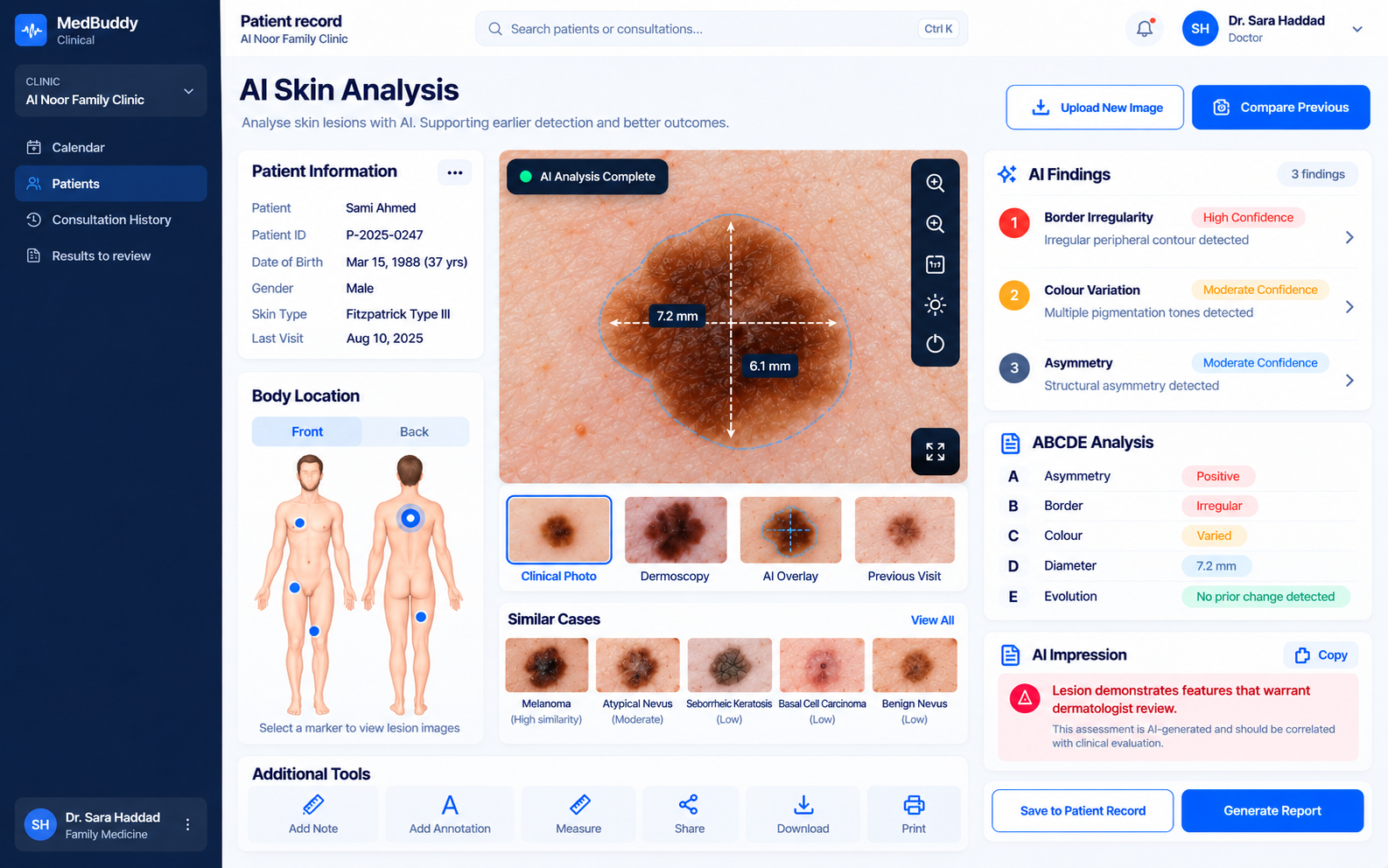
MedBuddy has an in-house AI-assisted imaging capability designed to highlight areas of supported X-rays that may deserve closer clinical attention. It is designed as clinical decision support rather than autonomous diagnosis — the doctor remains responsible for interpreting the image and making the clinical decision.
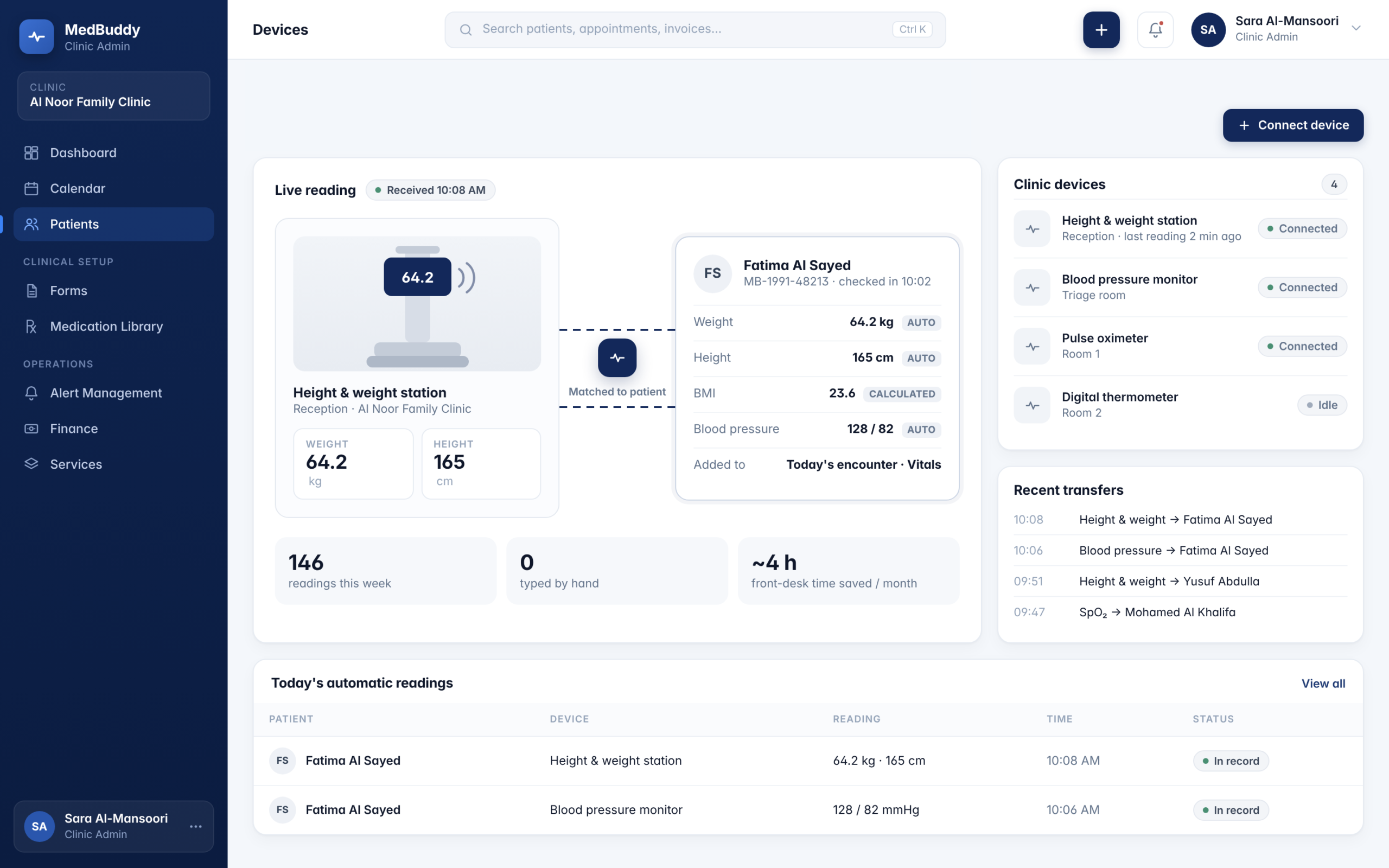
MedBuddy has been tested with selected compatible medical devices where the necessary system access is available. This can allow information such as height and weight measurements to move directly from the device into the relevant patient record, reducing manual data entry.
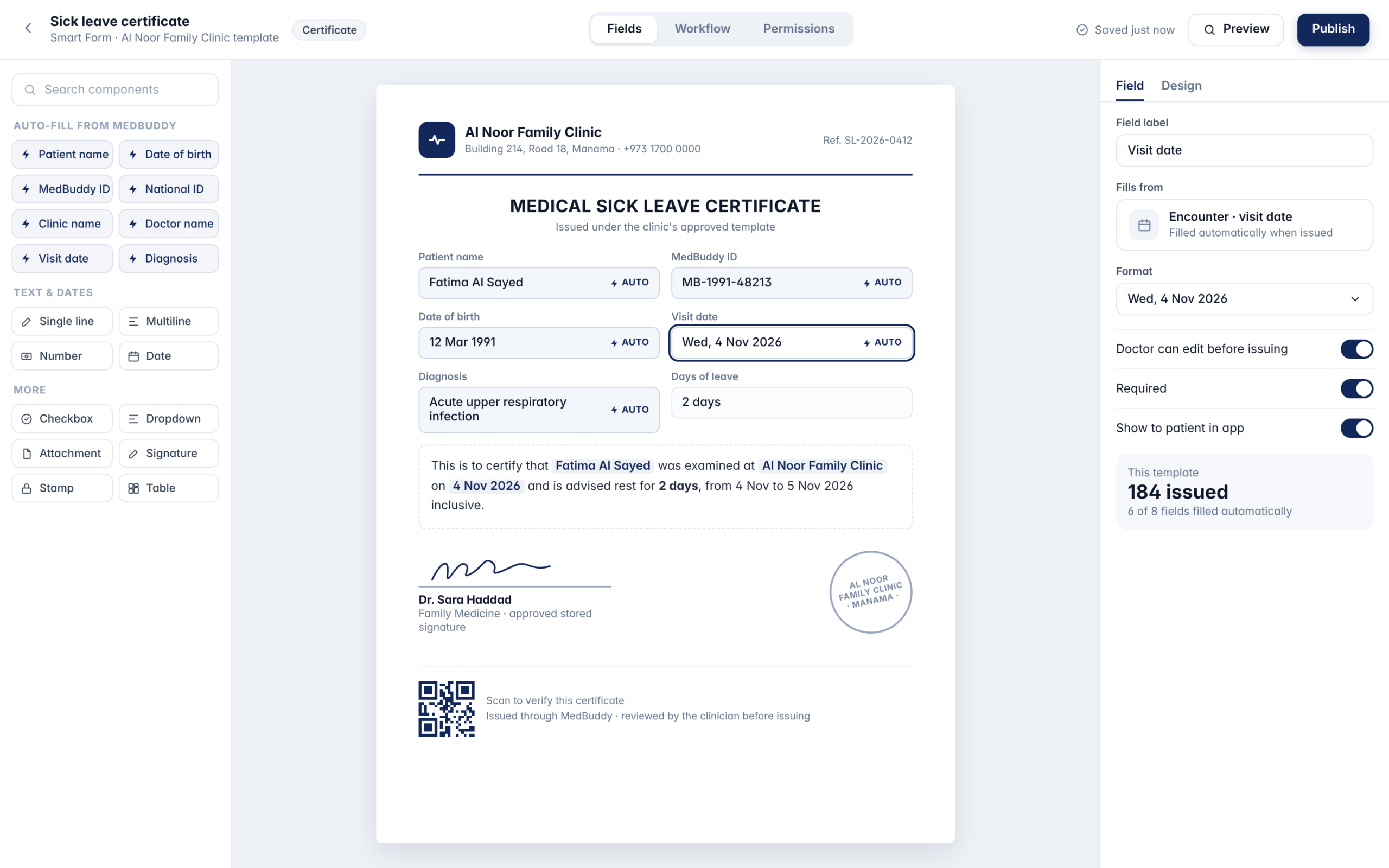
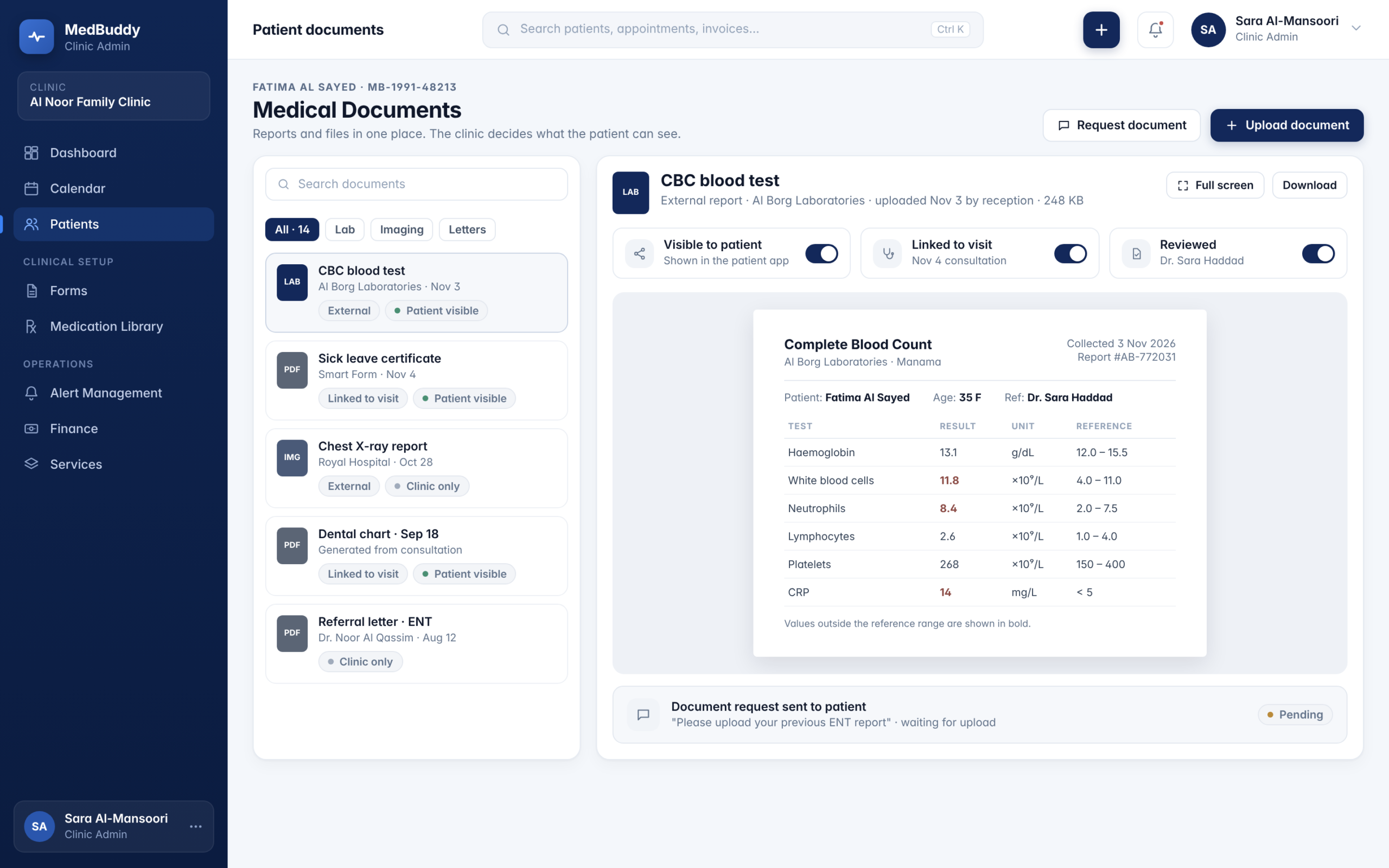
Yes. Smart Forms can use information already available inside MedBuddy — such as patient details, doctor information, clinic information, dates, and approved stored signatures — to prepare frequently used documents more efficiently.
Clinics can use available templates or configure their own where supported.
Smart Forms can support commonly used healthcare documents such as sick leave certificates, medical reports, consent forms, and other clinic-defined templates, reducing repetitive manual entry before the document is reviewed and issued.
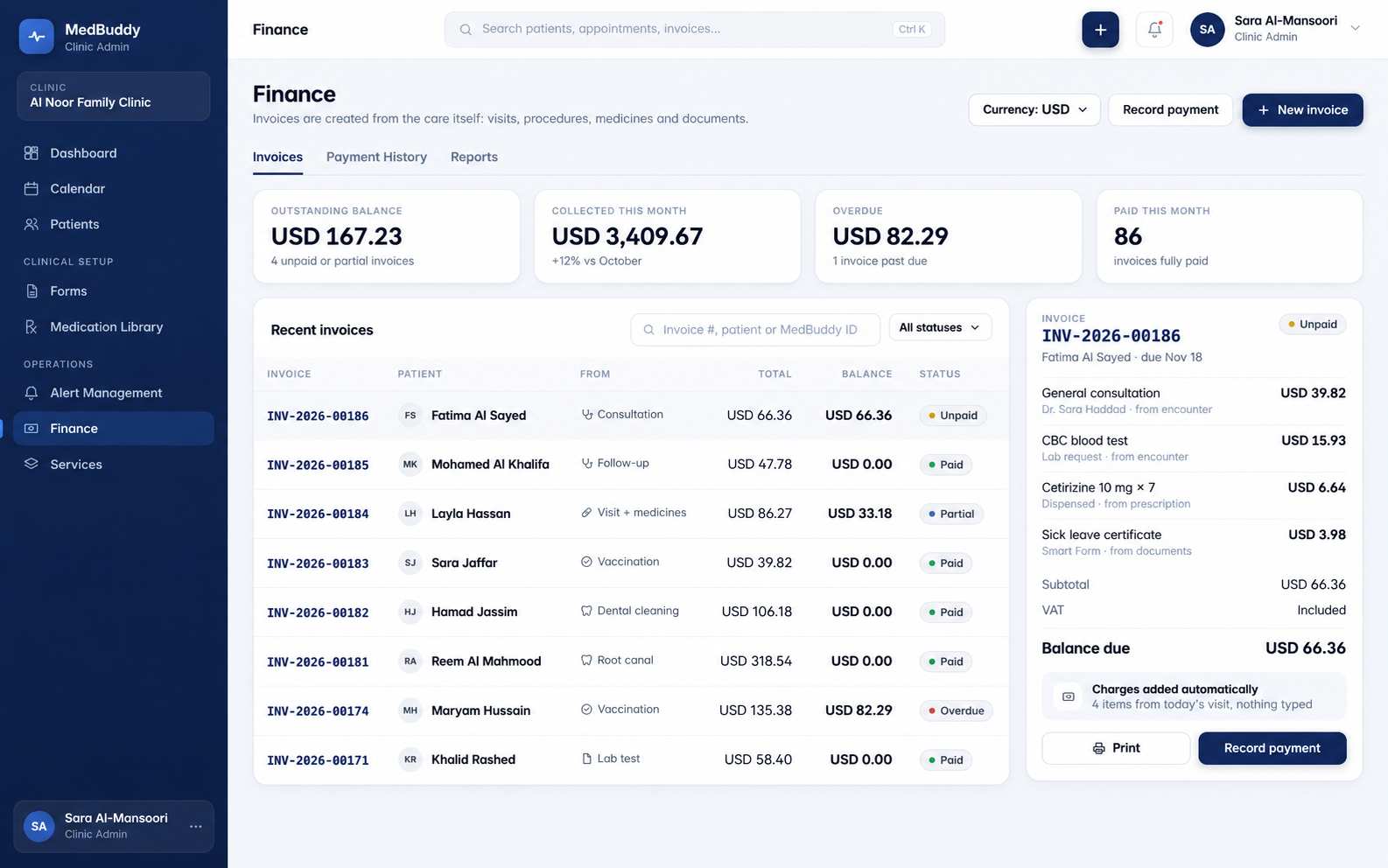
MedBuddy’s expanding finance environment is designed to connect financial activity with the healthcare workflows that generate it, including patient balances, payments, invoices, and relevant services or procedures.
Patients can receive clearer information while waiting, including their position in the queue and an estimated delay when the healthcare provider is running behind. Estimated waiting times can use previous operational waiting data to provide patients with a more useful indication of when they are likely to be seen.
Amin is MedBuddy’s in-app healthcare companion. He appears throughout parts of the patient experience to make reminders, waiting updates, requirements, and other interactions feel more approachable and easier to follow.
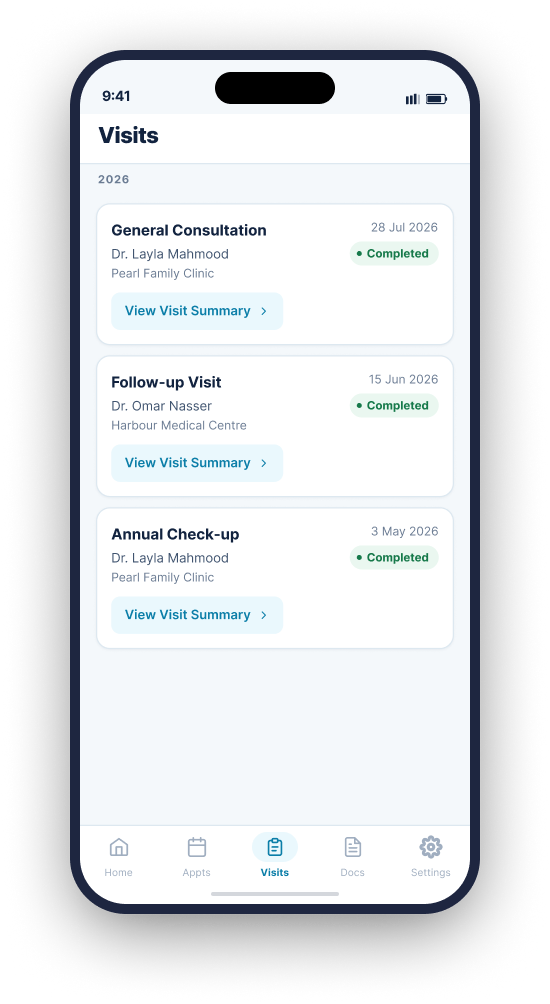
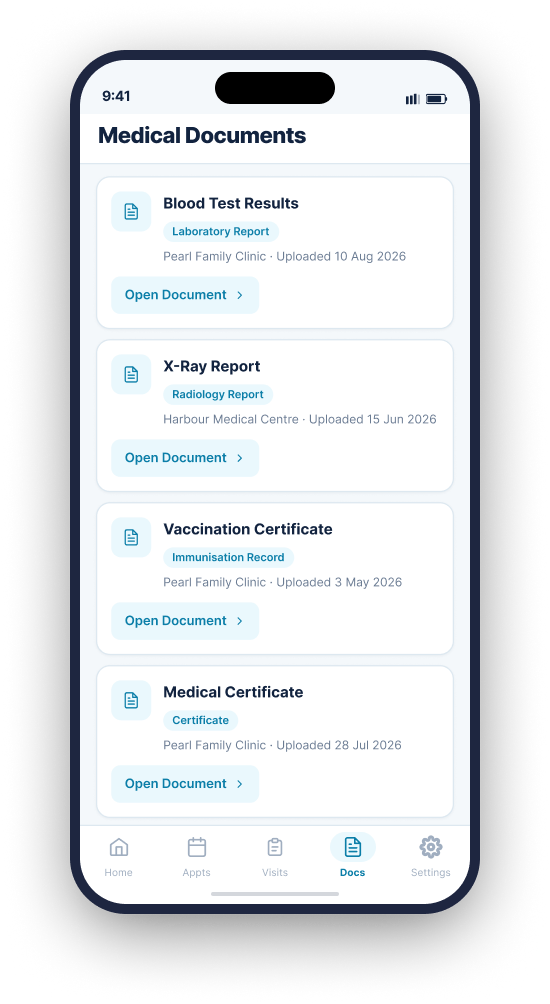
Depending on the services connected to their healthcare providers, patients can access information such as visit history, Visit Summaries, prescriptions, Medical Documents, notifications, dependent profiles, medication reminders, and appointment information from one personal experience.
Authorized guardians can manage dependent profiles after the appropriate identity and relationship verification. Each dependent maintains a separate profile and MedBuddy ID.
MedBuddy Health OS for Schools helps connect school health teams, students, and parents around student health profiles, allergies and important medical information, school clinic visits, medical requirements, documentation, reminders, and relevant parent notifications.
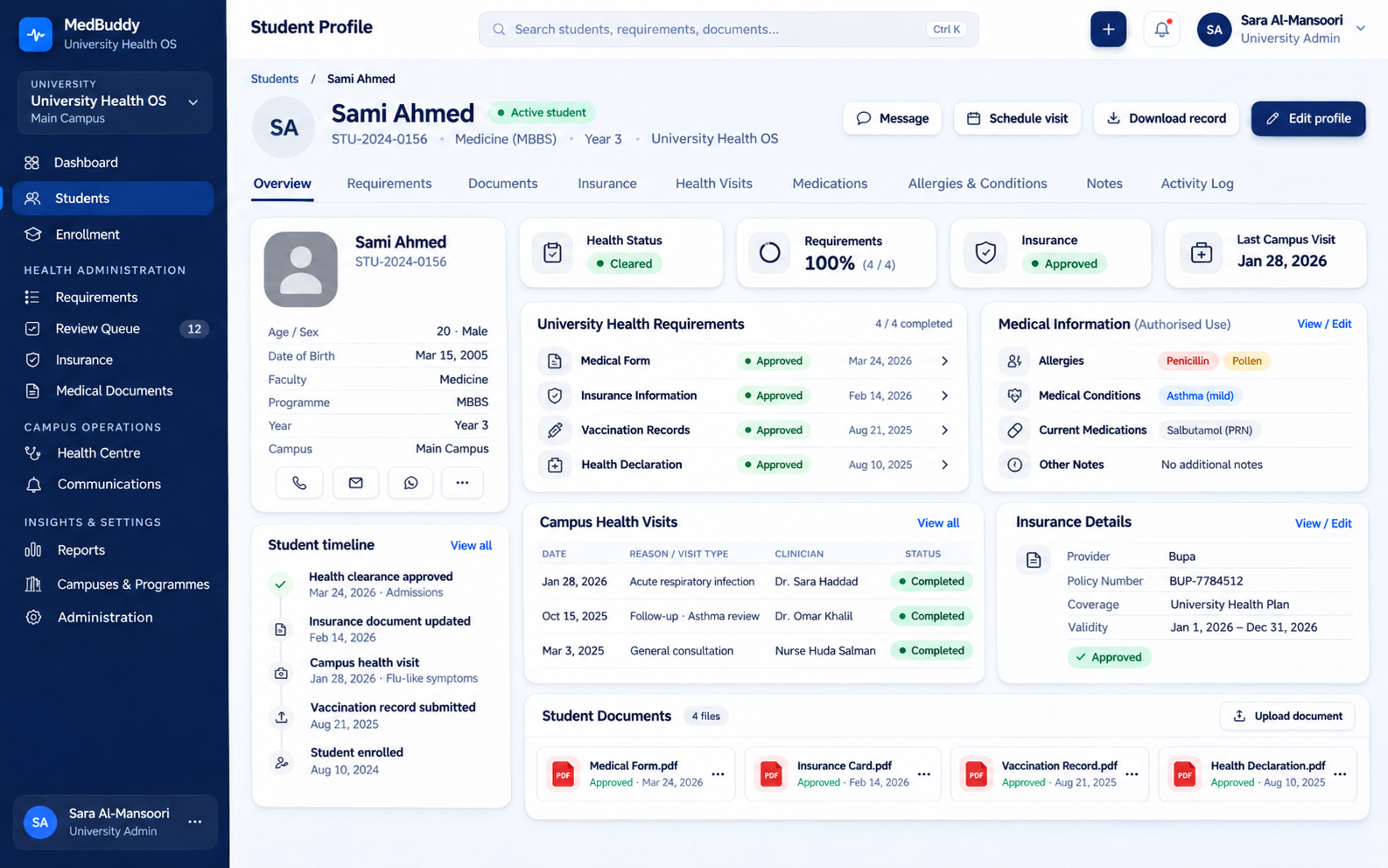
Universities can use MedBuddy to organize student health information, medical requirements, documents, insurance-related information, approval statuses, campus health interactions, and student notifications through one structured environment.
Not necessarily. MedBuddy can be configured according to the organization’s size, specialty, services, and required modules. A dental clinic, for example, does not need the same capabilities as a multi-department hospital.
No. A shared MedBuddy identity does not mean unrestricted access to a patient’s healthcare information. Access to clinical information remains governed by the appropriate organization, user role, permissions, and system privacy boundaries.
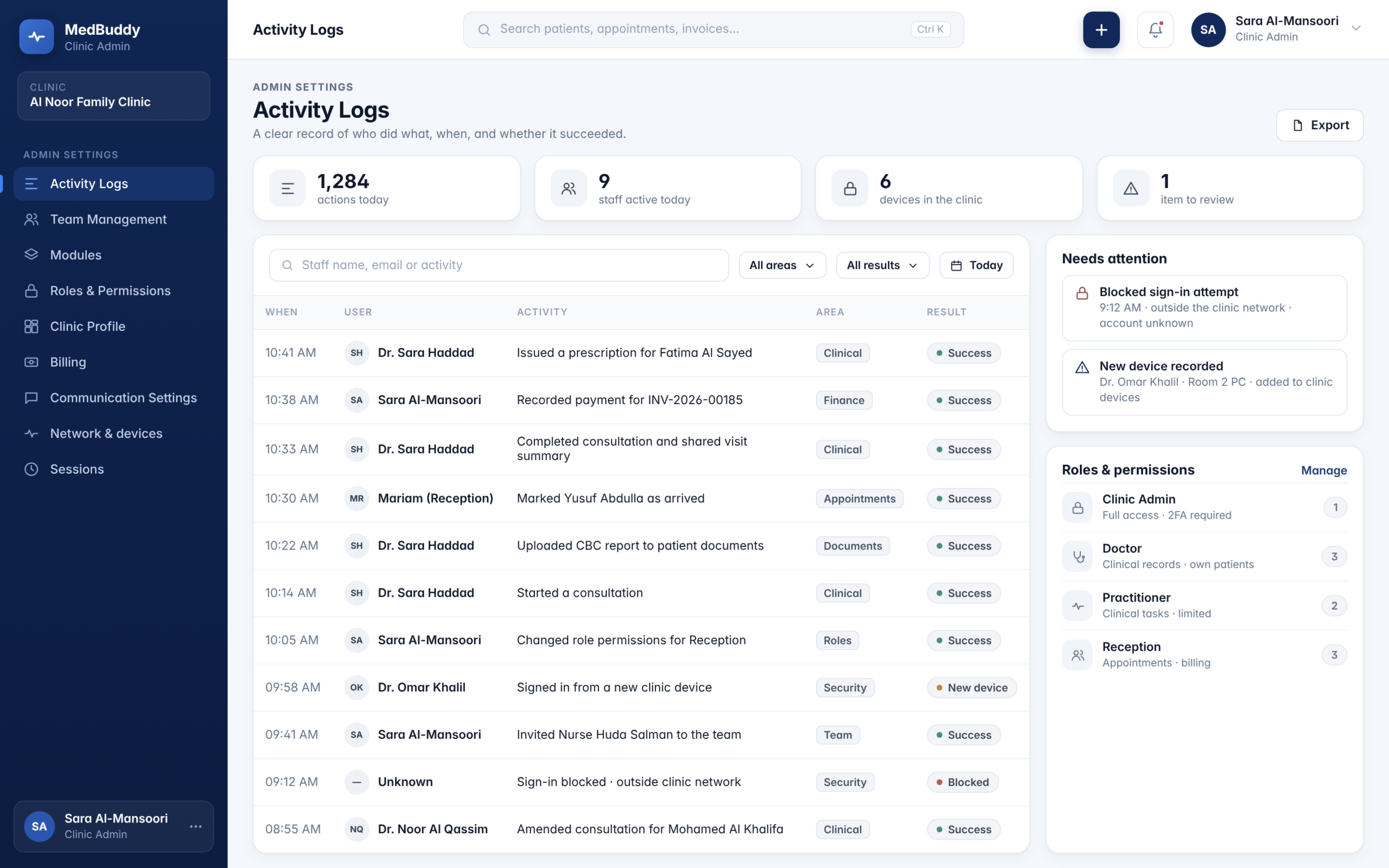
MedBuddy can maintain activity and audit information to give authorized teams greater visibility into important actions occurring across the platform.
No. WhatsApp can act as an additional patient communication channel connected to MedBuddy Health OS. The main MedBuddy system remains the source of truth for healthcare information and operational workflows.